Showing posts with label presentations. Show all posts

Sunday, October 25, 2020

RT;DL Thermoscope

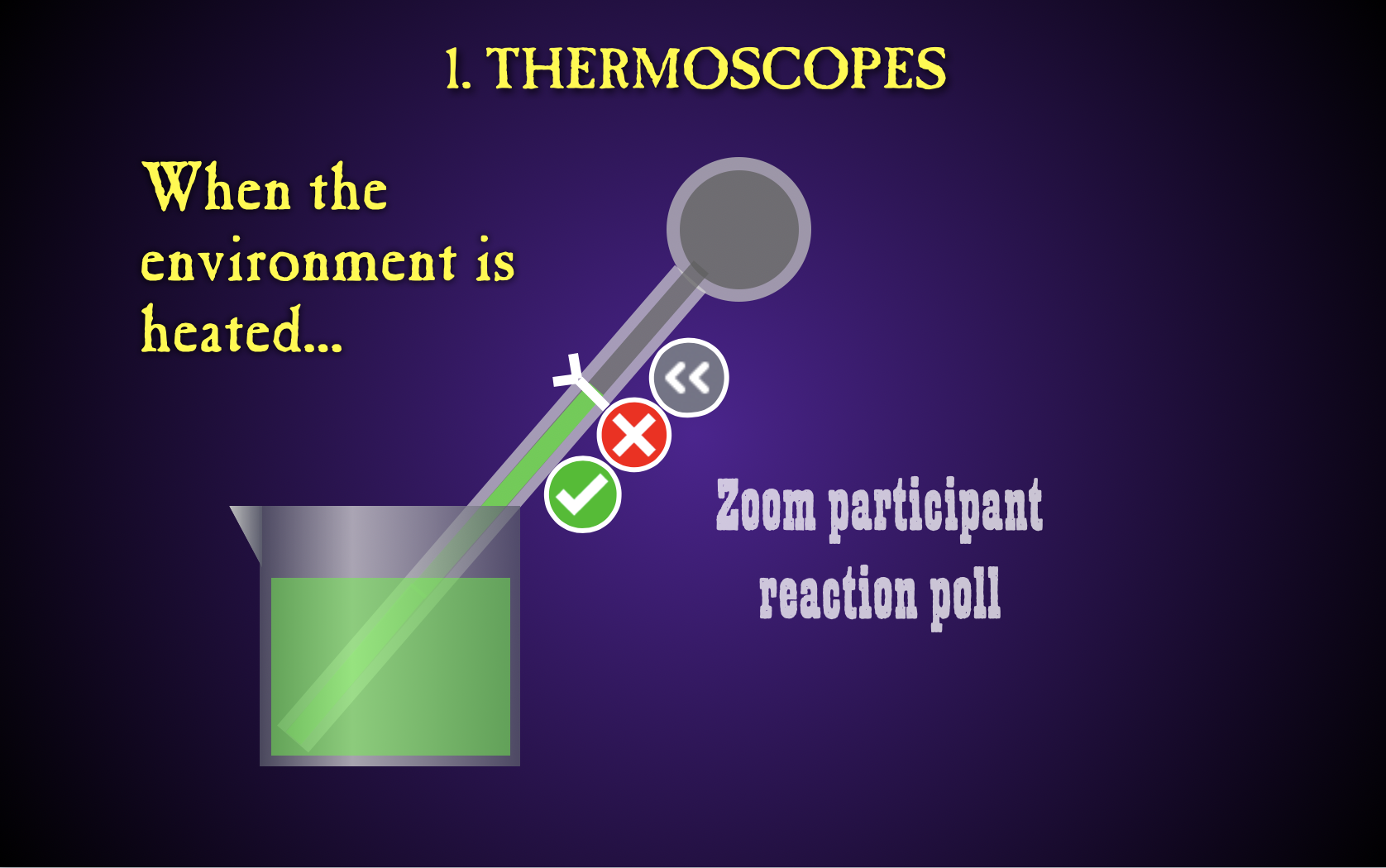
I was reluctant to post this since thermal physics has been so thoroughly abandoned by NGSS (HSPS) and AP Physics. And also because the apparatus that I use appears to be unavailable. And the ones I was able to get most recently are a bit fiddly to use.

But what the heck? Physics teachers teach across a spectrum and not everyone is beholden to NGSS and AP. And physics teachers are a resourceful bunch: There may be other ways to do this without the exact apparatus I'm using here.

The demonstration revolves around what I've been told is a Galilean thermoscope. A narrow-throated Florence flask is used here, as is a beaker, some food coloring, a twist-tie, a blow drier, a hot plate, and some water.

I like it enough to continue using in in my AP Physics 2 unit on thermal physics which is a pre-cursor to the unit on thermodynamics.

An instant Zoom poll using participant reactions is once again included.

Thermoscope [Virtual Demonstration] at Teachers Pay Teachers

If you have a clever workaround to get past the dearth of what were once sold by Sargent-Welch as "air bulb thermometers," let me know in the comments.

Saturday, October 10, 2020

RT;DL The Tower of Bottle

In the pre-blog, pre-social media days of the mid-1990s, when the World Wide Web was Alien-birthing from nothing (1994) to everything (1995), I was involved with the Southern California Alliance of Mentors for Physics Instruction and its Southern California Area Modern Physics Institute. Yes, two SCAMPIs in one. John Jewett (Cal Poly Pomona) and Roger Nanes (CSU Fullerton) outdid themselves on the acronyms!

Somebody at the California Department of Education liked what SCAMPI was doing, and wanted to get four Northern California teachers involved. I was chosen/selected to be one of them. Jessica Downing, then the Science Department at Esparto High School (now IB coordinator at Inderkum/Natomas) was selected as well. She and I conducted SCAMPI workshops throughout Northern California during those years.

I got this demo idea from her.

The gist is to show that the molecules in a jar of hot water are moving faster than the molecules in a jar of cold water. Just add food color and wait a minute. 

But while we're here, let's add some value. Lay a playing card on top of the hot water and flip the bottle over. The card stays in place and the water doesn't spill. 

Set the bottle mouth down on the cold bottle and remove the card. The result is surprising.

Then re-insert the (a) card and flip the configuration over so that the cold water's on the top. Remove the card. And it's a different outcome.

Last, a few questions of balance or imbalance. If you were nervous that I wouldn't shoehorn a Zoom participant reaction poll in, ease your worried mind.

The Tower of Bottle [Virtual Demonstration] at Teachers Pay Teachers

Single-shot video of the complete demo

Enjoy!

Thursday, October 08, 2020

RT;DL Blowout—Newton's Laws Edition

My use of Pasco's Lenz's Law demonstrator as a blowgun to explore the equations of motion is discussed in a previous post. That's an activity I don't do in my regular Physics class, because number puzzles aren't a priority there.

In this activity, I introduce the blowgun to Physics, do a quick speed determination, and then detail how Newton's laws of motion apply to the various portions of the Hero's Marker's Journey.

How are Newton's third, first, and second laws relevant to when the marker (bullet) was in the tube (barrel)? Between the barrel and the box? When caught by the catch box?

I do this after all three laws have been taught in class. It's a nice review.

For example, when the marker is in the tube, Newton's third law is relevant in that the air pushes the marker forward while the marker pushes the air backward. 

Newton's first law is relevant in that the marker at rest would have remained at rest, but was acted on by an unbalanced, external force applied by the air. 

And Newton's second law tells us the acceleration of the marker will be proportional to the force that the air applies and inversely proportional to the mass of the marker. 

In the end, we ponder how to make a faster-moving bullet based on Newton's laws. I can't blow any harder. So we modify the bullet. 

Is this demonstration activity really just an excuse to do another blowgun activity in class? I mean... what are you even talking about right now? That's ridiculous! Why would you even suggest such a thing?

It really is a nice review of Newton's laws. 

Blowout Newton [Virtual Demonstration] at Teachers Pay Teachers

Here's the accompanying HTML presentation. As always, the presentation was designed to accompany to the student document rather than to stand on its own.

Monday, October 05, 2020

RT;DL The Newtonian Shot

I'm embarrassed to confess that I don't remember the name of the physics teacher who shared this demo at the January 1986 MSTA Meeting in Lansing. I do recall driving past many cars that had slid into the ditch on the road from Ann Arbor that morning. It was windy and icy. And cold.

But the demo stayed with me, and I worked it into my curriculum early on. It was my first Show & Tell at an NCNAAPT Meeting (Spring 1992, American River College, IIRC). 

I think it's a great demo for the Newton's Law unit. There have been times when securing toy dart guns was a challenge. They can last for many cycles, but they were built as inexpensive toys, not precision science apparatus. Here's one I found online in 2025; use your search engine/AI skills as needed.

I wrote a post about this demo previously, when I recorded some nice high-speed video of it. It includes a few more specifics.

The Newtonian Shot at TPT (Students document, Answer Key, link to presentation)

HTML Preso: Demo - The Newtonian Shot (including convenient Zoom participant reaction instant poll)

As ever, my presos are designed to support my storytelling and do not stand on their own terribly well. (Like a backup band with no lead singer.) And you can see I use aluminum support rods to help with the simultaneous launch. I launch the darts from ceiling-level down to my countertop so students can see the landing point. I protect my concrete countertop with a wood plank.

Monday, September 28, 2020

RT;DL Cannonball - Ball dropped from moving ship

Another classic demo that can elicit excellent classroom discussion. A cannonball is dropped from the mast of a moving boat. Where will the ball land? This nicely confronts our inner Aristotle.

In my version, the premise is laid out, the landing point options are described, and students are asked to produce arguments supporting three of the five possible landing sites: one that they believe, and two they could convince others of (as good attorneys).

A straw poll is conducted (now with Zoom participant reactions), then students are asked to defend their various positions. After the classroom discussion/debate, a final vote is taken. 

I warn them to vote carefully. "Physics is a democracy, and whichever outcome gets the most votes will  be correct. The universe will accede to our wishes. Please vote responsibly!" [Update: at some point Zoom made participant reactions ephemeral, so they lost their value as an instant polling tool.]

Then we see the actual outcome. First in my animation; eventually in the classic Project Physics footage from 1968. In face-to-face instruction, I also carry it out using a discontinued Pasco product (Ballistic Cart Accessory with Ball Drop Attachment). So sad to see that combo go.

Lastly, I ask students how the demo could be altered so that the ball would land at the other locations that were offered in the premise. The 1968 footage shows one such modification. I leave it to students to think of the others.

Cannonball [Virtual Demonstration] free resource at Teachers Pay Teachers

Includes
Student document (Google Docs file on Google Drive)
Presentation link embedded in student document
Answer key

The HTML export from Apple Keynote had a few wee quirks this time. Mostly in that while most of the splash sounds are muted, the audio from the 1968 video (muted in my preso) comes through loud and clear in the export.

Here's the HTML presentation: Cannonball. It's intended for use with the TPT student document.

Further discussion in the comments.

Sunday, September 27, 2020

RT;DL The Clever Dumbbell - Tension & Inertia Demo

A classic and popular demo. I do it in Conceptual Physics, Physics, and AP Physics 1. And I use a 5-lb dumbbell and kite/packaging cotton string. For years, I used a cast-iron dumbbell. But I broke floor tiles on occasion, and there was that one time the wheel-like nature of the dumbbell ends allowed it to roll onto a student's open ... toes. So I found rubberized hexagonal-end dumbbells. And I use a cardboard catch-box with scrap paper to protect the tiles.

After posing the initial question: Which string will break when the bottom string is pulled, I have them work through some leading questions.

Instead of having students predict which string will break, I have them request a string for me to break. Once they understand this paradigm shift, they request the bottom string. And I oblige. Eventually I break the top string, too. This can be navigated in the preso, alone. But I prefer to do the demo in my empty classroom because I can.

The efficacy of this demo lies in the dependence of the outcome on the presenter's technique. If it were a 50-50 coin flip each time, the demo would not have any pedagogical value. Some ponderables are offered post-demo, too.

As is a continuing theme in my RT;DLs, the student sheet is a Google Doc and the preso is an Apple Keynote preso, exported to HTML. These exports work delightfully on computers. Less well on tablets or phones. 

This one takes a bit of practice to navigate. 

Things shown in images but not in words: strings break when they are stretched beyond their limit by tension greater than the sting can withstand. A rapid pull stretches the bottom string through its limit before the dumbbell moves very much, thus keeping the top string from being stretched. A slow pull allows the top string to be at greater tension than the bottom string, allowing it to reach its limit before the bottom string does.


Includes
Student document (Google Docs file on Google Drive)
Observations presentation (linked to on student document)
Answer key

Saturday, September 26, 2020

RT;DL Blowout: A tour through the equations of motion

Near the close of the last century, I wrote an article for The Physics Teacher extolling the unadvertised virtues of Pasco's Lenz's Law Demonstration tube. 

Sure, you could use it to demonstrate Lenz's law, but that fine aluminum tube seemed pricey, so I was keen to justify the expense. You can tap it with a mallet (or on the ground) while holding it at various places to produce different notes. The Q of aluminum is great for this. You can stand it up on its end in your classroom to demonstrate unstable equilibrium. 

But for my notion of classroom theatrics, the best unintended use for the tube was as a blowgun. 

For this RT;DL I prepared a tour through the equations of motion with the blowgun acting as my vehicle. it is very much up to the task. I do this in my AP Physics 1 course only. Regular Physics students don't really need the exercise in number puzzles that the equations of motion afford. The year's too short.

In any case, I blow a marker pen through the tube and arrange two photogates near the muzzle to help determine the exit speed. It's over 60 mph!

Once the exit speed is determined, we figure out the acceleration of the marker while it was in the tube. Over 20 g's.

We also figure out how long it took the marker to exit the tube once its motion began. Then we investigate where the marker was when it was at the half way point (in time) along its journey through the tube.

The preso is enhanced with photos and high-speed videos. And an instructive(?) blooper at the end.

Blowout Kinematics [Virtual Demonstration] at TPT

Here's the accompanying HTML presentation: Blowout Kinematics. It's intended for use with the TPT student document.

Exploratorium friends, Don Rathjen and Paul Doherty, turned the blowgun idea into a nice Snack: Marshmallow Puff Tube.

Wednesday, September 23, 2020

RT;DL The Great Bullet Race

I run this demo in AP Physics 1. I don't run it in Physics. Why? Projectiles is not a topic I teach in Physics. We tend to spend more time in kinematics than kinematics is due. It wasn't a big topic in California Science Standards Physics (RIP). It's not that big a deal in AP Physics 1. It's virtually non-existent in NGSS Physics. If you are among the few, the happy few—the band of brothers and sisters—who teach a year-long AP Physics C-Mechanics, have at it!

But physics teachers of all stripes love, embrace, and perhaps cling to our kinematics. Maybe after a decade of NGSS Physics and a generation of retirements, kinematics' star will begin to fade. I have my doubts. Kinematophilia seems to have inordinate inertia. </soapbox>

In any case, we still regard this demo as a classic. [We don't seem to have a universally agreed-upon name for it. Or if we do, I don't know what it is.] So when it came up this year, I spent some time in my empty classroom trying to get some useable high-speed footage. 

Here's the student sheet and preso I cobbled together. (The Mythbusters segment is included.) Oh, and where a prediction is called for, Zoom participant reactions are solicited (yes, no, go slower, etc.).

The Great Bullet Race at TPT

HTML Presentation: Demo - The Great Bullet Race

I found the embedded videos in this HTML export to be a bit cantankerous—practice before using in class. Arrow keys to advance. Clicking in a video activates a scrub bar at the bottom and allows you to scrub forward/backward in that video.

Maybe you can get some use out of these; maybe your district won't let you use it. Guns and bullets are discussed, modeled, and used.

[RT;DL is remote teaching; distance learning]

Saturday, January 13, 2018

Be Direct With Me

I am a huge fan of a CBC podcast called "Under the Influence with Terry O'Reilly". Tales of drunk Canadians engaged in Molson-fueled shenanigans? No. Each half-hour episode tells a carefully woven story connecting some element of advertising or marketing to the world where you live. You will learn things you didn't know about things that you do know with each episode. And each episode is the product of 20-30 hours of research. Subscribe to the podcast right now while you're thinking about it.

In an episode called "When Madison Avenue Met Broadway: The World of Industrial Musicals," O'Reilly played a few seconds of "Be Direct With Me". Just a few-second bite with not much to identify it. But I was transfixed. I deployed my hard-earned blue belt in google-fu and sourced the track. I then saw it was available on iTunes and paid for it immediately (I'm old and from the midwest).

I quickly set the track to a Keynote preso and roughed out a nice delivery. Then I spent several days refining and improving. I simply had to show this gem to my colleagues at the High School Share-a-Thon attached to the American Association of Physics Teachers Winter Meeting 2018 in San Diego.

High School Share-a-Thons can be lively affairs, typically held in the evening on Day 2 of the conference: between the workshops and the invited/contributed talks. For reasons nobody ever explained to me (and I asked), this year's Share-a-Thon was scheduled for 8:30am on Day 2, conflicting with many workshops. And... in the morning!

A few dozen intrepid instructors braved the San Diego rains and made it to the event. Sadly, the session presider did not. A few years ago (I want to say it was the Omaha Summer Meeting), the Share-a-Thon was left without a presider and I stepped up to awkwardly host.

Someone in the room in San Diego remembered that, and promptly ratted me out. So I was once again drafted into service. When the session began, only two of the several dozen attendees signed up to share. We had the room from 8:30am until 10:00am. I made the executive decision to dispense with the five-minute time limit and encouraged my colleagues to not be bashful—we're all friends here!

I showed a couple of things (videos of those things, anyway, as has become the trend among traveling physics sharers). Then I hit them with the video below. I truly didn't want to be up first for this event, but it was what it was.

In any case, the presentation. You will want to be sitting down for this.


I had a few more slides of humor and fun for my live preso; I intend to show it again at the NCNAAPT Spring Meeting.

Eventually more folks came up to share. Questions were asked and answers were given. We ended the session at 9:59:50am.

But industrial musicals? I had no idea. And they were huge in terms of budget, scale, and talent.

UPDATE: GE's Go Fly a Kite—the industrial musical from which this song comes—was written by the composer/lyricist team of Kander and Ebb, who also wrote Cabaret and Chicago. The double-album original soundtrack (souvenir recording) can be had via eBay for $99.99 as of this update. But it has also been posted to YouTube. I found "Be Direct With Me" as the opener for Side 3. The video shows the liner notes and dress rehearsal stills that correlate to the currently-playing track. While Valerie Harper was arguably the biggest enduring star in the cast, she did not sing "Be Direct With Me". Who did? Carole Woodruff. The only other credit I was able to find for her was a musical called Pleasures and Palaces, written by Frank Loesser and choreographed by Bob Fosse. It ran for a month in Detroit and was not reviewed kindly. Woodruff is the last singer listed in the credits. I have found no other relevant information on her.

Sunday, November 08, 2015

Keeping the real Apple Keynote alive

Apple officially discontinued development of its first-rate presentation software, Keynote, in October, 2013. The final version was Keynote 5.3, and was originally released as part of iWork '09. So some people think of it as Keynote 09 or Keynote 5. (MidCap enthusiasts errantly refer to the program as KeyNote.) I posted a death notice/rant here.

Confusingly, Apple now produces Google-docs-esque productivity software, including a presentation program named Keynote (technically, Keynote 6). The vast majority of legacy Keynote users despise Keynote 6 for many, many reasons. Apple promised to throw extant users a bone. Too little; too late. Or never. Apple lost the thread on what Keynote was supposed to be, and I have to presume they'll never get it back.

My school district does its best to keep teachers' computers from aging into obsolescence, so my 2010 MacBook Pro 13" was replaced this week with a 2015 MacBook Air 13". My own computer is a 2012 MacBook Pro 15". Making the new computer useful to me was not a trivial matter. Since it's not my own personal computer, I could not initialize it as a mirror of my "old" computer or restore from a Time Machine backup. But I did need fully functional Keynote 5. And I needed Keynote 6 not to be there: among the disasters incorporated into Keynote 6 is its tendency to automatically "update" working Keynote 5 files into broken husks (misshapen, ill-fitting Keynote 6 files).

So I do have a paid-for copy of Keynote 5.3 with a valid serial number/license key. (When Keynote is open, click the Keynote menu and select "About Keynote" to see the serial number/license key.) But the new Mac has the new Keynote installed and does not have the discontinued, functioning version of Keynote.

Here's what I did to ditch the awful Keynote 6 and install the functional Keynote 5 on a new Mac that wasn't really mine.

Step 1: Delete Keynote 6. Drag it to the trash. Empty the trash. Putting that terrible code-cobble out of its mystery should be the very first that one does at first light with any new Macintosh. Yes, really. Flush it now.

Step 2: Download the disk image (.dmg) for the iWork '09 free trial. (It works as of this posting; nothing on the Internet is guaranteed to work forever in the future.)

iWork '09 Free Trial Installer

I found the link on this page.

Step 3: Run the installer and install the software. This will get you to Keynote 5.0. But you don't really want Keynote 5.0. You want Keynote 5.3 with all the improvements that occurred between 2009 and 2013.

Step 4: Find and run the iWork 9.3 updater. I found the updater on this page. (Same caveat as above).

Step 5: Register the software with your serial number/software key.

So far, so good.

I did run into another problem owing to my old fascination with fonts. It turns out, I own and use a grand symphony of fonts. Horses for courses. I thought I successfully created a Dropbox folder with all the fonts in my computer's Library. (You then drop all the fonts into the new computer's Library/Fonts folder and opt to skip all duplicates. But opening Keynote documents revealed that my new computer was missing fonts I used.

I discovered the location of these fonts was in my User directory. But when I opened my User directory, there was no Library folder to be seen. I learned that Apple, in its oft-to patriarchic tendencies, hid the User Library from Users. One way to work around this foolishness is to hold down the option key while accessing the Finder's "Go" menu. Second batch of fonts ferried over via Dropbox and… success!

Sunday, September 20, 2015

What I did for Back to School Night #30

We started the school year (with students) on August 13th this year. That's a record early start date. Who remembers when school didn't begin until after Labor Day. Such places still exist. Just not where I teach.

Our Back-to-School Night was September 9th. For the past many years, I eschewed any discussion of policies for the 10-minute talk to parents. Instead, I presented a shortened version of the presentation I give in my Physics, AP Physics 1, and AP Physics 2 courses: "Physics Begins With an M". It's good stuff. And it would often generate at least one spontaneous round of applause at the 10-minute mark.

This time around, I spoke to the parents about the content of the course, how grades are determined, and the importance of engagement. The talk was not devoid of humor, but it was certainly heavier than my previous presentation.

I also upped the page-count of the handout I give to parents at the session. The hope is that the handout I distribute to parents who come in tells them everything they could want to know. That takes the pressure off the 10-minute session we have together. That said, I never open the floor to parent questions. Time is short, and that tactic has a great potential for failure.

Here's the handout I provide.

Back to School Night Parent Information

I also give them this:

How Not to Get Stuck on Physics Homework / How to Succeed in Physics.

And yes, my very first Back to School Night was in September of 1986. Ronald Reagan was President and California Governor George Deukmejian had a daughter at my school. He was at that Back to School Night, too. So this edition of BTSN was my 30th.

Thursday, November 07, 2013

Why Apple's promise to throw Keynote users a bone doesn't give me hope

Apple recently killed it's once-great presentation software, Keynote, with the release of "New Keynote". They now promise to try to revive a few limbs of the cadaver in the coming months.

The mounting negative reviews of Apple's iWork are piling up at the Mac App Store. As of this writing, each has garnered many more 1-star reviews than 5-star reviews. Apple wants to put an end to the embarrassing barrage of scathingly accurate 1-star reviews, so they're waving a small white flag.

Apple's corporate confession and plea for patience from angry users

They don't promise to bring the cadaver completely back to life. We are supposed to feel esuaged by their promise to restore a few of the highly complained-about feature deletions.

Since I don't dare put my existing Keynote files at risk of contamination from Keynote 6, I have neither upgraded to Mac OS X Mavericks nor Keynote 6. So others will know better what, specifically, Apple has broken and is not even promising to fix. Among them,

• QuickTime's new inability to handle Interactive QuickTime files. For Keynote users, this means presos that have been exported to QuickTime with manual advance and hyperlink capabilities are newly broken. Turns out your colleagues running QuickTime on Windows machines still enjoy this feature, but neither you nor anyone else running Mavericks can. Want better performance with Apple's QuickTime? Get a PC.

• Keynote 6's tendency of breaking Keynote 5 files. You know, the ones you painstakingly perfected down to the pixel? Keynote 6 appears to randomly rearrange your well-crafted slides so you can get to know Keynote 6 better in the hours you'll spend repairing your presos, slide by slide.

• Alpha-channel transparency in video. I didn't use this, so boy, what a lucky break. I do use alpha transparency in still images and presume (with no proof) that that still works.

• All the extant transitions, builds, and animations. Legacy users who opted for early adoption of Keynote 6 are finding out item by item which old things no longer work in the new regime. Sure, Apple has promised to do some restoration work, but who knows what will be added back and what won't.

Apple has waved the white flag of "Hey, if you liked Keynote before October 22, go back and use the pre-October 22 version!" They promise that within half a year (isn) they'll have Keynote 6 (2013) up to something somewhat reminiscent of Keynote 5 (2009). Five years later and precious little in the way of actual improvements. (This principle of improving software in subsequent releases is a long-standing tradition that computer users have become accustomed to since, well since software has been developed. It applied to Keynote from version 1.0 through version 5.3.)

I want to believe there will be time when Apple builds Keynote into a more capable presentation program than it was in version 5.3, but even if they follow through on all their promises, 6 will remain a weak shell of what 5.3 was.

What's truly broken was not mentioned in Apple's memo. And that's Apple's vision for Keynote. They've killed the role it was born to play: the high-octane software Steve Jobs would use to create bad-ass, cinematic presos capable of emasculating an army of crouching PowerPoint users.

Rather than allowing you to be awesome on a Mac, the new Keynote aspires to let you be mediocre on multiple devices and across platforms.

There is some genius in Apple's "We promise to fix it in the future" memo. The corporation thereby grants license to each user to imagine that the stripped feature most dear to them will soon be restored. If not in the first update, then surely in the second. And if not in that one, surely by the next. Pretty soon, it's 2018 and you're crossed fingers have long ago gone numb.

My enthusiasm remains highly curbed.

Sunday, October 27, 2013

Apple kills off Keynote

I know there are bigger problems in the world. You can read all about them elsewhere. A problem just entered my world that stands to grow for the foreseeable future, and this is my blog, so…

Apple killed its decade-old presentation software, Keynote.

Keynote was Apple's response to Microsoft PowerPoint. It was originally coded solely for Steve Jobs' use. He wanted to be able to make presentations that didn't suck. He wanted cinematic builds and transitions that appeared three-dimensional rather than cheesy builds and transitions that looked appropriate for grade school. He wanted to leverage the Macintosh's processing power and graphics capabilities.

In 2001, Apple allowed Mac users to buy Steve Jobs' presentation software for $99. Over the years it was updated and upgraded. New transitions, new graphics, video, and animation capabilities. Better and more powerful with each release. PowerPoint consistently lagged behind.

I had grown fond of Keynote over the years and gradually learned how to make it do what I needed to do. Whenever a new version came out, I'd be sure to own it the day it dropped. The reflexive "wow's" I got from my otherwise jaded high school students never failed to amuse me.

But the last time a new version was released was early 2009. Before Obama was sworn in as President. The iPad had not yet been announced. Keynote 5 (iWorks '09) was fine, but was getting long in the tooth here in the second Obama administration. Microsoft's PowerPoint 2008 was upgraded in 2011 and was starting to look like a potential contender for pros designing high-octane presos.

So here it is 2013. iPads and iPhones are in the world in quantity. Google has designed and implemented Google Docs web applications for word processing, spreadsheets, presentations, etc., allowing multiple-machine access via the Internet. There are iOS versions of the iWorks apps. And Steve Jobs is dead.

And in a decision that stings as much as it stuns, Apple has decided to adopt a "me too" approach to its iWork productivity suite. This past Tuesday, Apple pronounced that it had rebuilt—from the ground up—each application in the suite (Keynote, Pages, and Numbers).

They weren't kidding about "ground up". Apple decided that iPads are now content-creation devices, rather than media consumption devices. So rather than allowing Keynote to be a full-throttled computer app that leveraged the capabilities of the multi-core processors in Apple's MacBook line, it was decided that the productivity apps should be neutered and stripped down until the OS X version couldn't be used to assemble something the iOS version wasn't comfortable with.

Apple's VP presenters thought we should be delighted that iWorks apps could be used like Google Docs apps. They showed it off as if had never been seen before. In a preview at last summer's WWDC, they beamed with pride over the possibility that someone could design Keynote-y things on the web using a PC running Internet Explorer.

I feared that spelled doom. Now that fear is fully realized.

Keynote is dead. The program Steve Jobs made Apple's software engineers design so he could create bad-ass presos is no longer being developed or supported. Apple still has a product called Keynote. But Keynote 6 ('13) is related to Keynote 5 ('09) like a 1978 Ford Thunderbird is related to a 1961 T-bird. That is, not much at all.

For now, I recommend staying with Keynote 5.3 and not even upgrading to Mac OS X Mavericks. Apparently the QuickTime in Mavericks no longer supports Interactive QuickTimes, so you can no longer have a manually-advanced QuickTime export of a Keynote preso.

I don't foresee Apple reversing themselves on this or otherwise making things right. They've got multi-device, cross-platform fever. And they're giving away the apps (just like Google). But if you're someone who already has any Keynote presos created in 5.3 or earlier, the havoc that 6 will create for you will make that "free" update a downgrade you really cannot afford (in repair time and energy).

Apple will eventually make Keynote 5.3 inoperable in an as-yet unnamed surf beach OS X. I do not relish the day when I will need to export my Keynote presos as PowerPoint files to edit them in the only remaining high-octane preso editor.

Lest you think this is just me on a rant:

Medium: Apple’s iWork for Mac will only be as smart as his two dumb little brothers

Apple Support Discussion: Keynote's newly missing features

Having not switched to Mavericks and downloaded Keynote 6, I am unable to offer this review at the Mac App Store. I am, however, rating the usefulness of the posted reviews. I'm finding the 1-star reviews to be the most helpful and the 5-star reviews to be the least helpful.

Sunday, October 07, 2012

Tech penalty: Switching from Canvas to Keynote

I began writing curriculum materials in 1986, deciding early on to author in Silicon Beach Software's SuperPaint. SuperPaint was a groundbreaker in 1986 because it combined the bitmap capabilities of MacPaint to the vector graphics capabilities of MacDraw.

I could have gone with a word processor (Apple MacWrite, Microsoft Word, etc.), but I chose not to. I wanted more canvas than typing paper: an application in which graphics took priority to words. Desktop publishing software was on the rise, but Aldus PageMaker and Manhattan Graphics Ready Set Go! struck me as kludgey and unappealing. Besides, they didn't allow for creation of graphics, they were all about layout.

SuperPaint was my program for nearly everything. But as it went through upgrades, it got worse. Developers added more and more features, Silicon Beach sold it to Aldus. It got buggier and slower. And by 1992, I had to give it up. I switched to Deneba Canvas.

Canvas employed layers in a way that allowed me to write worksheets and labs in one layer, then add answer keys in a second layer. The layers were like sheets of glass: you could write and draw on them while still seeing the layers below. Two layers were all I ever needed: student worksheet and answer key. You could print a single layer or both at once. Brilliant! No need to have two separate documents, one student version and one teacher version.

From 1992-2012, Canvas was my workhorse. Nearly everything available as a PDF at http://phyz.org was originally written on Canvas. Well over 1000 pages of schtuff. I found 1992's Canvas 3.5 to be great. I dutifully upgraded to Canvas 5 in 1996 and found that Deneba seemed to following in the disastrous steps of Aldus. Canvas 5 was feature-laden and slower on the draw (!). I skipped versions 6, 7, and 8. But I did upgrade at 9 and X. Canvas X worked in Apple's new UNIX-based Mac OS X.

In 2003, Deneba was bought by ACD Systems. On the eve of the introduction of Apple's iPhone in 2007, ACD decided that Macintosh was too niche. So although Canvas was born on the Mac OS, it would move forward as a Windows-only product. No amount of wailing or gnashing of teeth among Mac Canvas users would deter ACD. No amount of Apple becoming the dominant tech company worth more than the United States of America would compel them to reconsider.

I knew my days with a functional Canvas were numbered. I began searching for alternatives. Everything I looked at came up short. With Mac OS X 10.7 Lion, Apple discontinued Rosetta, an otherwise invisible bit of operating system code that allowed older (Motorola CPU-era) apps to run on newer (Intel CPU) Macs. In a way, that numbered my days of usable Canvas to zero. Canvas will not open on my new MacBook Pro, meaning the bulk of my physics curriculum is inaccessible from my computer.

And that's simply not going to work for me.

One app that I've been using for nearly a decade is Apple's Keynote. It's Apple's answer to Microsoft PowerPoint (which, like Excel, was originally a Mac-only application). As it is in so much of the computing universe, the Apple approach is superior to the Microsoft approach. And it can be taken as evidence of my fanboism that I had no interest in creating/using presentations (presos) until Keynote offered an alternative to PowerPoint.

I've learned to bend Keynote to my will. So I pondered, "Can I convert my Canvas docs to Keynote and maintain their original functionality?" On the face of it, the question is ludicrous. Canvas was a graphics/DTP program and Keynote was designed to make Steve Jobs look cool when he pitched new products at MacWorld.

But the answer turned out to be, "Yes!" (At this point, I'm convinced I can do virtually anything in Keynote.)

The process is tedious, time-consuming, labor-intensive, and did I mention tedious? But it is possible. So I am going through the process, item by item, document by document, image by image, text box by text box. Each PhyzGuide, Springboard, Demo, Lab, Video Sheet, etc., that I finish can be opened on the new computer. Since each document has to be rebuilt in Keynote, some changes have been made to certain documents in certain places. And I've switched fonts on my headers in demos (Showboat's out, Ringmaster, Zebrawood, and Black Oak are in). I've had to buy/re-buy some fonts that didn't function properly in Keynote. Long is the tale of transition woe.

Dropbox has been key in this process. All Phyz curriculum files are in my Dropbox. I access the Canvas docs on my old MacBook Pro (2008, Mac OS X 10.6 Snow Leopard), port them to Keynote (each one takes about an hour of work), and save the Keynote version. Next time I open the new MBP, the Keynote doc is in the Dropbox and ready to go.

But there are miles to go before I sleep.

All of this to say that if you find me even more anti-social and withdrawn than usual (and honestly, how would you even know?), that's the reason.
Tuesday, February 21, 2012

Scheduled to appear on Global Physics Department

Global Physics Department is a group of high school and college physics educators who meet weekly online to discuss physics, physics learning, and physics teaching. GPD uses Elluminate Live which allows for audio, video, white board, and chat communication.

The live event each week begins at 9:30pm (ET) / 6:30pm (PT) and runs for about an hour.

Moderator/instigator, Andy Rundquist of Hamline University, kindly invited me to present and I've been scheduled for Wednesday, March 21. The recent discussion of Modeling Instruction here at The Blog of Phyz apparently brought me to the attention of a Department member. So we'll talk about that.

Sessions are recorded, so you can entertain yourself running through their archives. I've done that and sat in on a live session. (Live sessions are more fun since they are interactive.) The presentation environment, Elluminate Live, does not suffer from lack of stimuli.

Monday, November 21, 2011

Nailed! And Nailed: With Numbers

Physics: Cinema Classics is a treasure trove of physics video clips depicting demos, animations, and representations of physics phenomena. Our school purchased the LaserDisc in the early 1990s and the DVD set a few years ago. I'd love to give P:CC an enthusiastic thumb's up, but he mechanics of the DVD operation leave much to be desired. Navigating through demos is a nightmare; I'd prefer to have each demo as a QuickTime (or equivalent) file.

In any case, one vignette from the P:CC's Disc 5: Conservation Laws is a 1968 Project Physics gem called called "Nails into Wood." It's the kind of simple but clever demo I can really sink my pedagogical teeth into.

After developing qualitative and quantitative video demo sheets to accompany the clips, I built expanded Keynote representations of the demo. We travel to the Moon and Jupiter, and use mathematical analysis and estimation along the way. I tinkered and fussed with the presos over the past couple of days and decided they were ready for prime time. So I froze them into interactive QuickTimes and posted them to The Book of Phyz on the Energy page.

Nailed! - Student Sheet PDF
Nailed! - Presentation iQT
Nailed: With Numbers - Student Sheet PDF
Nailed: With Numbers - Presentation iQT

Sunday, November 13, 2011

PhyzSketches: Energy Transformations

I've updated, upgraded, and posted the latest and greatest versions of my PhyzSketches lessons involving energy transfers and transformations. One lesson focuses on a pole vaulter, the other on shooting a toy dart.

PhyzSketches: Energy Transformations (Student worksheet)
PhyzSketches: Energy Transformations (Instructor's key)
PhyzSketches: Pole Vault Preso (Interactive QuickTime HD)
PhyzSketches: Dart Gun Preso (Interactive QuickTime HD)

As is always the case, I post interactive QuickTime files that anyone can play on any modern computer.

I use Apple's Mac-only Keynote to produce presentations and I use fonts that you don't likely have. So the source file would have limited value.

I've been up-rezzing my QuickTime files to 1650x1080, so they look pretty good in terms of resolution.

Sunday, November 06, 2011

Shown & Told @ NCNAAPT UCB 11.05.11

Scientist Valentines
Blog of Phyz posts on SciVals can be found here. At the Berkeley Show & Tell, I passed out "quarter-sheet" prints of the Scientist Valentines (printed 4 per letter-size sheet of paper).

Here's the source PDF for those.

Back Masking
Richard Wiseman demonstrated this phenomenon to us at The Amaz!ng Meeting 4 (2006). The context: including skepticism/critical thinking lessons into the physics curriculum is time well spent. One theme worthy of exploration is the fallibility of our cognitive processes, including our ability to create patterns where none exist; pareidolia. This exercise in back masking is audio pareidolia.

Jeff Milner has created and maintained a great page of back masking examples with appropriate user controls. Note: some clips are more compelling than others.

Here's an interactive Quicktime of the presentation, which featured Lady Gaga, Britney Spears, and Led Zeppelin.

Sunday, October 30, 2011

Silent upgrades: The SVGA to WXSGA+ edition

When I began authoring Keynote presentations in the early 2000's, I went with the slide resolution/size of 800x600 pixels. VGA was 640x480, and who would ever need more resolution than could be shown on a TV screen? I figured I was future-proofing by dialing the resolution up a notch to SVGA, knowing full well that the resulting documents would have larger file sizes.

As fortune would have it, things change. I noticed that the interactive QuickTime files I created from my Keynote presos looked a little chunky when projected digitally. Keynote uprezzes presos to match the projector's capabilities pretty well, but QuickTime isn't as clever. (Neither was I for not knowing that.)

Last year, I began transforming my 800x600 presos to 1680x1050 (WXSGA+). The new aspect is a better match to the MacBook Pro's own display (no black bars). Keynote does its best to scale everything up. But with animations and grouped objects, it doesn't always work out. So tweaking has to be done. Sometimes, the tweaking is nontrivial.

I launched a raft of updates into the momentum unit. And into the UCM/gravity unit before that, and into the Newton's laws and motion units, too. I tag the links with an "HD" when I remember to. If you've been using the old presos, feel free to grab the new versions. The files are bigger, but the added resolution is worth the wait!

Thursday, June 16, 2011

AAPT workshop and contributed talk

If you're headed for Nebraska to frolic with fellow physics friends this summer please come see me! The American Association of Physics Teachers will be meeting July 30-August 3 at Creighton University and the Doubletree by Hilton in Omaha.

My friend, Matt Lowry, and I will be presenting "Skepticism in the Classroom," W42, Sunday, July 31 from 1pm to 5pm in HLSB 523. We will present a variety of lessons, appropriate for the physics classroom, that focus on the skeptical and critical thinking nature of science. Some lessons involve obvious physics content; some bring in examples from the real world. Participants will leave with ready-to-use lessons (video clips and student worksheets) and resources designed to bring healthy, scientific skepticism to their classrooms. Topics will include firewalking, ghosts and angels, balance bracelets, the credulity of local media, and more.

I'll be presenting a talk on Tuesday, August 2 at 2:15pm in the SS Ballroom F. It's part of session EJ: Recruiting Students to High School Physics, which begins at 1:15pm. My presentation is EJ03, "One Mad Man's Campus Campaigns." The abstract: In good times you should advertise, in bad times you must. As the son of an advertiser and a marketer, I have always valued advertising as a recruitment tool. As a high school physics teacher, I have been motivated to maintain or increase my "market share" each year. I have used "dog and pony shows," personalized direct mail campaigns, and a variety of flyer and poster designs. I will detail the relative efficacy of the various campaigns and share specific designs and slogans I have used over the years.

I hope to see you in Omaha.