Showing posts with label PhET. Show all posts

Wednesday, March 10, 2021

RT;DL Introductory Wave Activities

At this point, I think we all have our own favorite PhET sims. You might be able to start a fight among physics teachers by proclaiming your favorite is the best PhET sim of them all. But honestly, what's not to love about John Travoltage

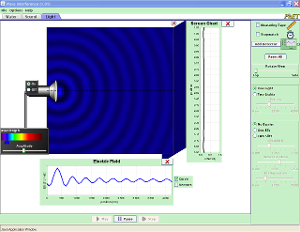
Actually, I think Wave Interference is my favorite. (Energy Skate Park fans are now unfollowing me on Twitter.)

When we get to wave optics, we use the light module to develop interference pattern mathematics. As we begin the study of mechanical waves, we explore representations in the water wave and sound modules.

Water Waves in an Electric Sink at Teachers Pay Teachers
Students begin with examining a pulse with the sim's various view modes. Then it's on to continuous wave trains while varying frequency and amplitude.

High Quiet Low Loud at Teachers Pay Teachers
Originally developed for use with Pasco's Waveport DataStudio software, this activity has been redesigned around Wave Interference's sound module. This time, the manipulation of amplitude and frequency is accompanied with audio feedback. The sim's "Particle View" feature shows that matter doesn't move much even as a wave propagates across greater distances. Diving deeper, we notice that our sound waves appear to be moving through a solid in the sim.

I couple these with The Mechanical Universe - Episode 18: Waves and Paul Hewitt's Conceptual Physics Alive! Vibrations and Sound I and Vibrations and Sound II to round out much of the introduction to waves.

In any case, I'm sure there's even more to PhET's Wave Interference than I am leveraging. So much groovy wavy goodness!

Wednesday, July 13, 2016

Roller Coaster Track

When I teach the law of conservation of energy I talk a lot about roller coasters, as most physics teachers do. Assuming a frictionless roller coaster we can discuss how drops in height reduce the gravitational potential energy and increase the kinetic energy while the total amount of mechanical energy stays the same. Students can use PhET's "Energy Skate Park" simulation to create a roller coaster with two hills, the second lower than the first like pictured:

I like to show students the bar graph and pie charts to illustrate how the energy changes from one kind to another yet the total remains the same. Measurements can still be taken, calculations can still be done but its still not something they can experience and observe directly in my classroom.

I've tried a few different things to create roller coasters in my classrooms: clear tubing with a marble, Hot Wheels track with a small car, paper folded tracks with marbles, etc. Each has their own pros and cons and I'm sure they work great for many teachers. But I want to be able to set up a roller coaster quickly, use it repeatedly and get consistent results. I may or may not take measurements with it but I wanted a visual of this type of problem to use in my classroom that could be set up in moments.

I bought two 8' pieces of wide aluminum U-channel from the local hardware store. I put my blow torch in a pot with brick in it so that it stayed upright and left my hands free. Donning thick leather work gloves I lit the torch and held the U-channel in the flame. It took a minute to get hot enough that it could be bent. I moved from one side of the U-channel to the other because a foot or so on either side of the flame became too hot to hold.


Some bends were difficult because the aluminum was hot or the position made it difficult to get leverage. My leather gloves were not as insulated as I would have liked. This pair now has permanent burned indentations. My hands weren't burned, exactly, but were sore afterwards for sure. My first piece of aluminum ended up in a much different shape because I didn't lay out which way I was bending it ahead of time; I'm still messing with that one.

I also found that while bending it down with the open side up was easy, like an upside down U, sometimes bending it up could cause the channel to buckle. This meant that I had to straighten the sides; I tried doing this two different ways. Some deformation was slight enough that I could bend the side back using pliers. For more serious buckles I inserted a piece of wood that was the same width as the U-channel and hammered it on the floor.

In the end my second piece of channel ended up making the shape I wanted. While I was able to get it to stand up here on the grass I had to use clay to get it to stand upright in my classroom on my front table. I can run a marble from the top of the larger hill through the track and it makes it over the smaller hill, somehow amazing students. A ping pong ball can also be run on top of the U-channel to make it easier to see.

I wanted to make a permanent mount for it so I didn't have to hold it up or use clay to hold it in place. I went through a few different iterations of mounting. First I thought I could just drill a flat head screwed into the track. That wouldn't work on the ends though that are nearly vertical to the horizontal. I also worried that even a flat head screw would affect the marble sent down the track. I cut a few inches off the first track that I had bent incorrectly and tried splaying out the sides with pliers. Splaying the sides out did not hold the track securely.

My next attempt was to create a vertical piece with a cut out that fit the track. I ended up using 4"x4" pieces of wood that were large enough not to need a cut out. The ends are free and not resting on the table which is not required for the ball or marble to roll down it anyway. The pieces I have are about the right size without being cut. The simplest solution has turned out to be the best!

In order to use it, all I have to do is place the two posts out and set the track on it. The aluminum U-channel is light and while it is over 6 feet long it should be easy enough to store on top of some cabinets. Now I have to try and rebend that first track into something more interesting ...

Sunday, October 19, 2014

"The Laws of Attraction" — A new PhET sim-based lab

This activity is a fairly deep exploration of the elements of Newton's Universal Gravitation. In the "Gravity Force Lab" sim, the force between two masses is displayed. Both masses can be changed, as can the distance between them. Mathematical patterns are developed and cobbled together until the full universal gravitation proportionality is constructed.

My lab activity, "The Laws of Attraction" can be found here.

PhET's "Gravity Force Lab" sim can be found here.

Here's the sim as it can be embedded:

Gravity Force Lab
Click to Run

Conceptual Physics PhET Tech Labs

The webpage that organizes my PhET sim-based labs had been updated significantly.

There are now 15 Conceptual Physics Tech Labs that employ PhET simulations. Check them out:

Phyz PhET Labs

The sim-based Tech Labs run the gamut from Mechanics through Atomic and Nuclear Physics.

Sunday, September 28, 2014

New AP Physics 2 resources on fluids in The Book of Phyz

The Book of Phyz page on fluids has been up for some time:

Book of Phyz: Fluids

Two new "phyzjobs" have been added: "Liquid Pressure" and "Buoyancy Overflow."

And there are fresh links to the full pages for two fluid PhET sims:

Density


Buoyancy


I've posted labs to those PhET pages.

Pool Cubes - Density and
Pool Cubes: Buoyancy 

The blogging may run light this year while I try to get AP Physics 1 and AP Physics 2 launched at Rio Americano. Apologies.

Tuesday, December 24, 2013

Pushing Things Around—A new PhET Activity

Seems like I've been out for a bit. Reconfiguring the Physics curriculum in the transition to NGSS leads to occasional jags of spontaneous development. Not nearly as exciting as that makes it sound. But it keeps me off the blog nonetheless.

Here's something I developed for instruction after Newton's First Law/Inertia and before our full-on Newton's Second Law lab.

It's intended to scaffold some existing knowledge and suggest a = F/m. It uses PhET's "Forces and Motion Basics" sim (not to be confused with the "Forces and Motion" sim—that's a different sim).

Here's the sim:

Forces and Motion: Basics
Click to Run

Here's the sim's page at PhET.

And here's my lab: Pushing Things Around.

I hope to get it set into my own PhET Tech Labs page sometime soon. Patience!

Monday, September 02, 2013

HTML5 and the future of PhET

At NTSA/Boston in 2008, I made my first contact with a human being associated with PhET. I was a big fan even back then. I was beginning to include PhET sim-based lab activities in the lab manuals I was authoring for Paul Hewitt's conceptual science lab manuals.

Apple introduced the first iPad in 2010. When I ran into the PhET people at NSTA/Philadelphia in 2010, I prodded/goaded them a little bit that they would need to rewrite their Adobe Flash-based sims since Flash did not run on iPads. Flash was out, HTML5 was in, at least according to Apple's Jobs. In March 2010, the good people of PhET didn't want to hear this and derided me for the absurdity of my suggestion. They did not see a problem with Flash. They certainly weren't going to abandon Flash just because that oddball, Steve Jobs, didn't like it!

{Sitcom fast-forward to August 2013} PhET is pleased to announce their transition to HTML5, the Flash replacement that is iPad friendly. Shortly after Steve Jobs died, Adobe announced it was going to abandon Flash. And iPads have been selling at insanely unexpected rates. Especially to schools. So PhET didn't really have a choice if they were to remain relevant. And as a fan of PhET, I'm glad to see them remain relevant. And they've got a new logo. A logo that would look good on a T-shirt, I might say.

Anyway, check out PhET's blog post: "The Future of PhET".

There's even a nice movie:

Wednesday, March 21, 2012

Two new activities for PhET's "Faraday's Electromagnetic Lab"

I've always liked the presentation of PhET's "Faraday's Electromagnetic Lab" sim, but could never figure out how best to leverage them in inquiry-based activities. And some might say that I have yet to overcome that challenge.

Nonetheless, I wrote two activities that—between them—allow for the exploration of the sim's capabilities. There's some good physics illustrated and animated in the sims.

Electricity and magnetism are difficult subjects for physics learners, so many hands-on lab activities are called for. No harm in adding a few virtual lab activities to the mix.

"Faraday's Electromagnetic Lab" sim.

"Faraday's Electromagnetic Lab I: Magnets and Electromagnets" activity and answer key.

"Faraday's Electromagnetic Lab II: Pickup Coil, Transformer, and Generator" activity and answer key.

These are "first-takes" and may benefit from further development at a later time.

Sunday, January 22, 2012

Textbooks have a future—paper, not so much

The day the iPad was announced in 2010, I printed out Apple's product description and brought it to a school administrator with the comment, "We should start thinking about repurposing the textbook storage room." That particular VP was more pragmatist than visionary and was completely immune to Steve Jobs' Reality Distortion Field. So be it.

I waited for the third iteration of the iPhone (3GS) before jumping into that pool. My 2005 candybar Nokia was all the cell phone I needed until 2009. I planned on waiting for the iPad 2 until I discovered some utility for the iPad during the summer of 2010.

When my principal found out I had one, he expressed an interest in piloting classroom use. Suddenly I was the pragmatist. "Not yet," I replied, "let's let others work out the bugs and wait for the app market to expand."

With Apple's recent announcement of iBooks textbooks for iPad and iBooks Author, many of the classroom-use bugs seem to be getting worked out. The big publishing houses seem to be on board with post-paper textbooks. I'll nourish a hope that the good people at PhET engineer a way to migrate from the dead-end of Flash toward modern, iPad-friendly software.

Frank Noschese over at Action-Reaction has a nicely robust vision of what an iBook textbook for physics might include. Frank's vision looks good to me, but I don't expect it to come in one tidy package. More likely teachers will need to cobble together apps and weblinks on their own and get them configured on student tablets.

The promise of iPad textbooks is great. There are obstacles to overcome, but when has it not been thus. I will not miss paper textbooks (I say that because I know some who will). And I have no idea what will become of our voluminous textbook storage room, but I do look forward to its repurposing.

Edited to Add: Some people think iPads in education are a flash-in-the-pan, flavor-of-the-month, pie-in-the-sky (etc.) boondoggle dreamt up by educrats and salespeople. "Is there any evidence that these things actually help kids learn?" That question is often rhetorical, because any evidence offered will be rejected in favor of a negative personal opinion (see the post below for more on that).

Knowing that iPads have not yet existed for two academic years, the question-as-criticism is easy to level. Even if iPads do help, there hasn't likely been enough time to develop the software or test its efficacy among real students in real schools.

Until last week, that is. That's when the findings of a pilot program in Amelia Earhart Middle School in California's Riverside Unified School District were announced.

Some students underwent traditional instruction using the best practices known to the school's veteran teachers. Other students used iPads with Houghton Mifflin Harcourt's Fuse: Algebra 1 in conjunction with their instruction.

Fifty-nine percent of students in the traditional group earned scores of Advanced or Proficient on the California Standards Test in Algebra 1. But 78% of students using the iPads with the HMH app scored Advanced or Proficient on the same test. The difference is significant.

Hat tip: AppleInsider.

Thursday, June 16, 2011

Pool Cubes 2: Buoyancy - new PhET activity

PhET has added fluid statics to their physics repertoire. I wrote an activity for their Density sim. But it needs a bit of polish, so I'll post that one later. In the meantime, enjoy this tech lab that uses the new PhET Buoyancy sim.

Pool Cubes 2: Buoyancy (PhET page)

The purpose is to investigate the nature of the buoyant force and to see the role it plays in determining whether or not an object floats. The ability to use a variety of objects in the liquid and to vary the density of the liquid makes a number of scenarios possible. Real labs are great, but do you really want to deal with a broad variety of liquids (oil, gasoline, etc.) in the laboratory?

I wrote the activity for my AP Physics B students, so it gets mathematically robust toward the end. Nothing they can't be able to handle with a bit of algebra.

The groovy "3-D" graphics and textures used in the new sim are great. The science has to be right, of course. But once the substance is established, why not have some style?

Thursday, May 26, 2011

The Fringe of Optics - a new PhET activity

The geometry and trigonometry of interference patterns is non-intutive to students. I think it's non-intutive to most of us. Doing real lab work in this area is recommended. But the equipment and time requirements can be daunting.

This sim can be used in conjunction with a lab activity, or in place of one (in a pinch). Its intent is to develop the basic relationship governing the geometry of a two-slit interference pattern, and then to work with that relationship.

The activity uses the PhET sim, Wave Interference.

The Fringe of Optics (PhET page).

Wednesday, May 25, 2011

Bending Light - a new PhET sim

The good people at PhET have launched a new physics simulation into the world.

Bending Light. It's a robust refraction sim with many tools and options. PhET says:
Explore bending of light between two mediums with different indices of refraction. See how changing from air to water to glass changes the bending angle. Play with prisms of different shapes and make rainbows.
PhET sims now have an "embed" feature (very groovy). So click on the screen shot below to launch the sim, itself!

Monday, May 23, 2011

Radioactive Speed Dating - a new PhET activity

PhET's "Radioactive Dating Game" sim has a fun game-like element to it.

Too much for me to resist, and why would I? So I wrote an activity to exploit the competition potential of the sim. Since time was of the essence in this competition, the title wrote itself.

Radioactive Speed Dating

Thursday, May 19, 2011

Wednesday's power outage at school...

was a bit of a disappointment, actually. Power cuts at school typically happen in the late morning or early afternoon in conjunction with wild, windy, stormy weather. Wednesday, the power was off at the beginning of the day.

No worries. I deployed Operation: PowerOn!

I'm lucky enough to have permanent access to a lab set of MacBooks: 10 laptops on a charging cart (a lasting legacy of Digital High School). The school purchased The Mechanical Universe High School Adaptation on VHS circa 1990, and repurchased the set on DVD a few years ago. I was able to rip each episode (via Handbrake and VLC), turn them into QuickTime files, and load them onto each laptop. (This also comes in handy when a student misses the in-class presentation and needs to make it up at lunch or after school.)

We have a class set of headphones and signal splitters for use during computer-based sound wave labs. Three splitters will turn one stereo jack into four, so four students can watch one laptop screen and listen to their presentation without being distracted by the other computers' audio programs.

It worked flawlessly: the class spent the first 20 minutes of class watching "The Wave Nature of Light" and answering questions from the video sheets I give out when we watch this episode in class under normal circumstances.

In truth, the power came on about 10 minutes in and I could have aborted Operation: PowerOn. But sometimes the return of power is fleeting and uncertain: it's up, then it's down, and back up. I didn't see any need to take a chance when the contingency plan was going so well.

Operation: PowerOn successfully negotiates the power cut conditions: No AC means no projecting and no surfing the Interwebs. The room is dark, illuminated by whatever light comes in through the windows. But charged laptops can last for hours.

Had the power remained out, we had a PhET activity lined up, and since I loaded the full PhET installation on each laptop, no Internet connection was needed.

I'd be lying if I didn't admit to some sense of smug satisfaction that comes from being prepared for such an outage. But I hate feeling powerless when the power goes out or surrendering the time to waste. And my students were great about it; no complaints of having to do a physics lesson when the lights were out. They jumped on it and completed the lesson like pros.

Sunday, May 15, 2011

Pixel Peeping - a new PhET activity

PTSOS colleague, Dan Burns, has his students look at pixels through a small, powerful magnifier. Five years after he shared this idea at a PTSOS workshop, I finally figured out a way to make this work for my own students. (I'm kinda slow.)

It involves the use of PhET's Color Vision sim in addition to a magnifier.


Having run a few early drafts in class, I will warn you that you'll hear many involuntary expletives of amazement while students undertake this investigation. They've been looking at displays all their lives. And they never knew what was going on at the microscopic level.

I'm always a fan of activities that get even the most jaded, "been there, done that" high school teenager to revert to the sense of wonder they had in elementary school. Even if only for a few moments. So I can recommend this one without hesitation.

Pixel Peeping at PhET

Saturday, May 07, 2011

Shine a Light

The good people at PhET have produced a sim called "Photoelectric Effect." As they describe it, "See how light knocks electrons off a metal target, and recreate the experiment that spawned the field of quantum mechanics."


I wrote an activity to go with it. In honor of Paul Hewitt's affection for The Rolling Stones (and because it's the right title for the activity), I called it "Shine a Light."

As of this post, I haven't uploaded the instructor's notes and answers to questions. But for the adventurous among you, I think you'll find the activity very straight forward.

Shine a Light PhET activity page.

Saturday, February 05, 2011

The Two-Plate Special

I wrote another activity for PhET's new Capacitor Lab sim. The first activity I wrote, 'Lectronic Plates, focused on the nature of the uniform electric field between two oppositely charged parallel plates. (The title was a mashup between tectonic plates and Lectric Shave. I might drop that opening apostrophe in future revisions.)

The new activity, The Two-Plate Special, is substantially more sweeping in its scope. It replaces a lengthy Springboard on capacitors that I thought was pretty comprehensive and well-designed when I wrote it.

The new activity was written in two parts. The first focuses capacitance: its meaning and how it varies with the configuration of the parallel plates.

The second part focuses on the energy-storing abilities of capacitors. Students are also asked to confront some apparent paradoxes that can be played out in the sim.

And that's one element of the fun you have authoring a PhET activity: messing around with the variables and finding puzzles. (And solving them, too!)

In this case, it was seeing how the behavior of the capacitor seemed to change depending on whether it was connected to a voltage source (battery) or the plates were isolated and the plate charge were manipulated.

Having read the activity guidelines written by the good people of PhET, I fear I might run afoul of their intentions. My activities may well provide too much guidance and not enough open-ended exploration.

My defenses include my status as a classroom teacher whose students don't enter the room brimming with curiosity for the topic of the day's lesson. I have great students; don't get me wrong. But they're teenagers, and thus have many distractions vying for their attention. I also work under the stricture of a school-year with a finite number of days. There is also my youthful inexperience: someday I might write activities that conform to PhET's hopes. When I am older and wiser. Time will tell.

The complete list of my PhET activities can be found on my PhET page.

Sunday, January 30, 2011

PTSOS2: Heat Waves in Sacramento

Despite the chilly tule fog, a group of physics teachers gathered to discuss the pedagogy of heat and waves at Rio Americano High School yesterday. It was PTSOS2: Give Physics a Whirl.

We ran through kinetic theory, temperature, specific heat, and heat transfer in the morning. Demonstrations were demonstrated, with presentation tips aplenty. Corresponding presos were presented (with my usual admonitions about how bad PowerPoints can be). Lab activities from the Conceptual Physics Lab Manual: Activities · Experiments · Demonstrations · Tech Labs were discussed and summarized.

Specifics included conductometers, radiometers, radiators, Miracle Thaws, and many others. We can never resist the Leidenfrost effect. (A full episode of Jearl Walker's Kinetic Karnival is devoted to this topic.) That led us to busting the paranormal explanation of firewalking.

One highlight was Steve Keith's Rubens' Tube.

IMG_0034

During lunch, we were treated to a surprise visit from the Physics Go Girls (Morgan and Riley), who brought treats. With their chartreuse db-T's, they could have been seen from outer space.

IMG_0022

Their customized carbohydrate comestibles were enjoyed by participants and workshop leaders alike.


After lunch, we launched into mechanical waves and sound. We discussed the connection of vibrations to waves (without getting bogged down into the robust details of simple harmonic motion). We delved into the Bell Labs wave machine, a Doppler rocket, PhET sims, WavePort, and others. I really like WavePort for creating and analyzing sounds.

A roommful of Talkie Tapes was too silly to not take a video of.


The fact that some users often mishear the word "fun" led us on a tangent of audio pareidolia. Our visit to Jeff Milner's Backmasking website resulted in laughter (wincing, cringing) of varying degrees of propriety.

Steve piped some heavy gas (the eco-friendly freon replacement) through a song flute (recorder) so we could hear the difference that makes. Much like the Mythbusters Fun with Gas clip.

We ended the day with the real make-n-take: Steve Keith's newest and improved-est version of the ever-popular String Thing. (Here's the Exploratorium's version.)


I couldn't resist slowing the finished product down with my compact FH-100.


It was a great day! More photos can be found at my Flickr site.

PTSOS is sponsored by the NCNAAPT and made possible by a grant from the Karl L. Brown Memorial Scholarship fund.

Sunday, January 23, 2011

'Lectronic Plates

There's a new PhET simulation in town, and it caught my attention.

Actually, there are several new PhET sims available, and I've only had a chance to develop an activity for one of them so far.

The sim is Capacitor Lab, described by the PhET team as follows:

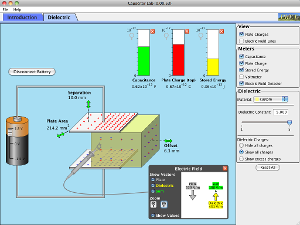
Explore how a capacitor works! Change the size of the plates and add a dielectric to see how it affects capacitance. Change the voltage and see charges built up on the plates. Shows the electric field in the capacitor. Measure voltage and electric field.

I wrote a quick activity, "'Lectronic Plates,"  that guides a bit of inquiry involving the uniform electric field between parallel plates. Charge density is introduced and explored, too. It only scratches the surface of this sim's potential (!), but it's a start.

I included a link on my Conceptual Physics Lab Manual PhET page, too. I hope to write a more extensive capacitor lesson soon. I'll post it when it's fairly stable.

Saturday, June 05, 2010

PhET T-shirts

I designed and posted a couple of T-shirts via Zazzle. I designed them to show my love for PhET. Yes, I am a geek. (Further evidence of my geeky PhET affection was provided previously on The Blog of Phyz.)

PhET is The University of Colorado's Physics Education Technology program. They design, produce, maintain, and promote high-quality interactive science simulations. And they give the simulations away for free!

I bought a black tee to wear during our PhET days (between the last of the new content lessons and the beginning of final exams). The black PhET tee looks better than Zazzle's "model display" of it. (Click the shirt to get to its product page, then click the design tab to see a better rendering.)

I've got a copy of the Matrix design ordered.

Zazzle incorporates a royalties structure so product designers can share in the revenues. I'm donating anything the PhET products generate to PhET. Seems fair.

So go buy yourself a PhET shirt! You know you love PhET, you'll be the only one in your neighborhood with one, and it supports the PhET program.