Whoa! The Blog of Phyz has suddenly gone Stephen King prolific! I love it. Many thanks to Bree Barnett Dreyfuss and Dan Burns.
When the following gem percolated up through my Facebook feed. I was inspired to create a lesson. Take a look at the clip, and we'll proceed from there.
Backyard Water Slide Fail
[Note: as with all things YouTube, the specific video link above may someday go blank. Searching for "Backyard water slide fail" will likely find a working link. And it's always a good idea to download the video for posterity. YouTube discourages this, but underestimates your tenacity. And your Fair Use protection.]
My mind expanded the story: why did our water slide enthusiast overshoot the target pool? Why did they put the pool where they did? An AP Physics 1 exercise (perhaps shop-worn even in these early years of AP1) overcame me. So I hacked away.
When trying to fit a physics lesson to a real-life situation, there's always the question of how best to balance "real-world"-ism and "first-year students can solve it"-ism. I did my best; you might have done it differently. I think my distance estimates are reasonable; I didn't do heavy duty video analysis.
My process does get a wee bit ugly, but that's why it's an AP Physics 1 exercise, not a Conceptual Physics exercise. But you get energy, rotation, and projectiles in the mix, so it's a worthwhile activity. And it involves video of a guy hurting himself: few things appeal so viscerally to the teenage sensibilities.
In any case, here's my expansive spin on the video clip.
YouTube Physics: The Ultimate Backyard Water Slide @ TPT
And if you wish to add even more mechanics problem clichés, you could ask how this would have gone down if repeated on the moon.
Showing posts with label Book of Phyz. Show all posts
Showing posts with label Book of Phyz. Show all posts
Wednesday, May 18, 2016


Saturday, January 23, 2016
Logic Gates: Boolean algebra meets simple circuits
Back in the late 1980s and early 1990s, I was slowly but surely amassing the empire of equipment I now leverage in my physics lab. Back then I felt a freedom to develop lessons and labs that were useful in teaching physics principles and applications. There were no content standards looming over my head. No Common Core State Standards to shoehorn my lessons into. No multicolored, multilayered, NGSS alignment demands.
Evidently, none of my students learned a thing about physics or science back then. Such a pity.
Once my lab was geared up for simple circuit labs with a full complement of batteries, bulbs, switches, and wires, I allowed my serendipity to wander. (I tended to do this whenever I got new apparatus.) I knew the standard things that could be done. But what else?
 |
| Besse |
One such meander led me to develop "Logic Gates". Instead of connecting resistors or bulbs in series or parallel, how about connecting switches in series or parallel. The results were simple circuit representations of Boolean logic: realia that could be used to fill truth tables! (I studied Boolean logic and truth tables in high school math. Apparently that's no longer done.)
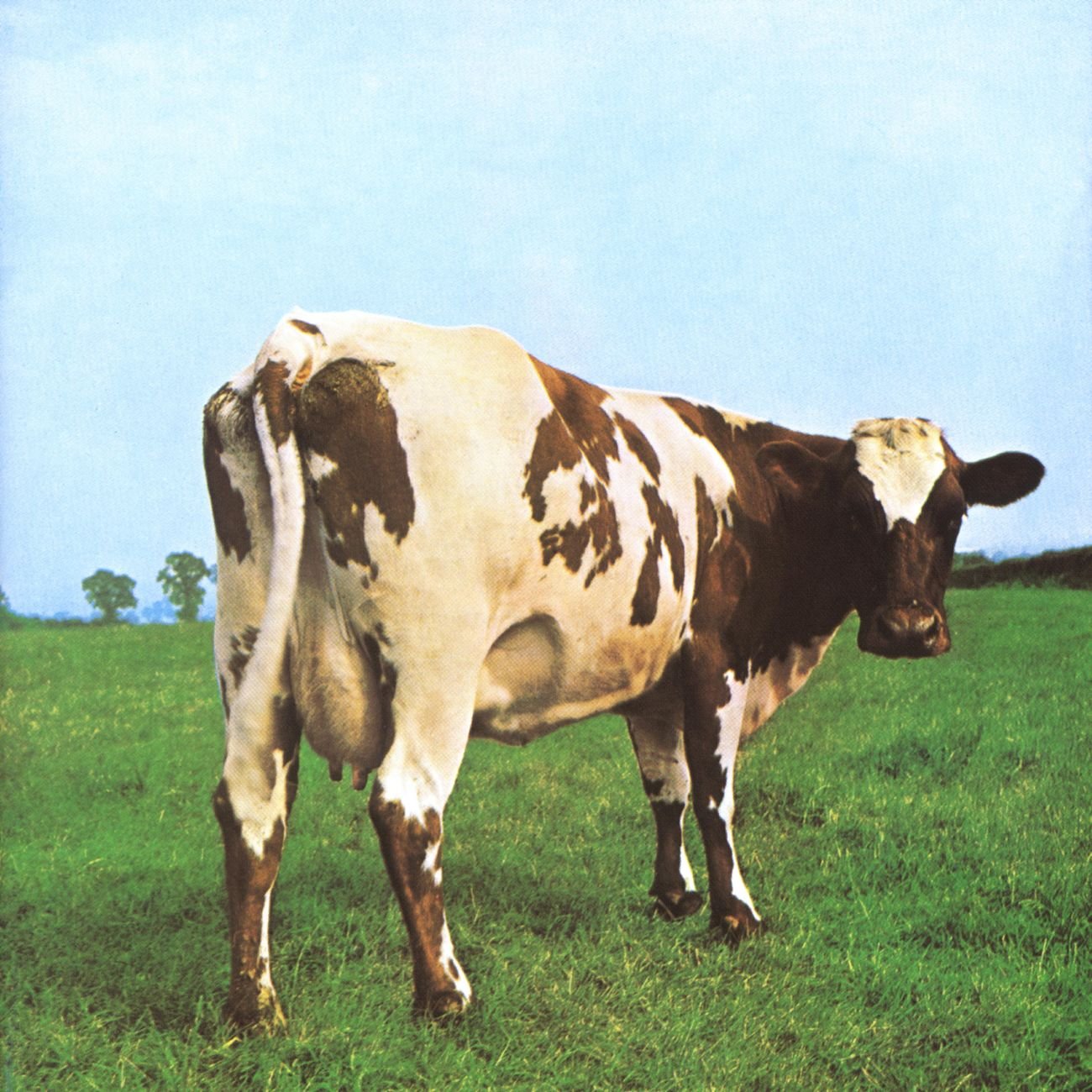
Since the very concept of Boolean logic was foreign to my students, I created a prelab exercise to bring them up to speed before launching them into the activity. It's the classic "Besse can get to her pasture if Gates A AND B are open…" story, with all requisite variations. Since a bright student named Haleh made a point to tell me how useful the prelab was, I named the worksheet "Haleh Cow!". It's what I do.
Once students have the hang of Boolean algebra (if-then, and, or), it's time to break out the circuit gadgetry. In the old days, we powered the circuits with batteries. Nowadays, we use Genecons (which are much more forgiving for the NOT gates).
NGSS doesn't call much for anything related to electric circuits. So this activity is relegated for use with AP Physics 2 students, only. In any case, here's the lab.
It should be noted (especially in light of Bree's insightful post) that this activity got pushed into dormancy when standardized testing was phased in. With AP1 and AP2, I have been able to dust off a few gems from bygone years. If I could reanimate my revisions of Dewey Dykstra's implementation of Fred Goldberg's optics learning research (from back before PER was a thing), that'd be great!
Wednesday, November 11, 2015
Mysteries of Millikan
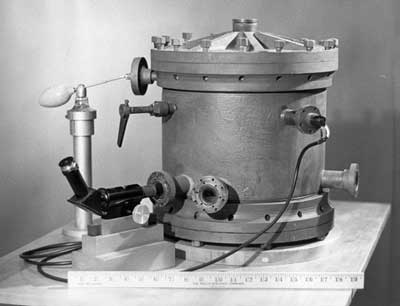 Robert Millikan's 1909 oil drop experiment is an American classic. It won Millikan the 1923 Nobel Prize in Physics. It spawned Paul Allen Stokstad's COmpany, PASCO. It made a surprising appearance in David Goodstein's Mechanical Universe, despite electron charge being decidedly non-mechanical. It's a great episode in that it elucidates the nature of the process of science (while debunking the overly simplified but easily posterized "scientific method").
We do not conduct the experiment in my high school physics classes. But we do watch the episode of The Mechanical Universe. And we do a very dry-labbed worksheet, originated by my mentor at Ann Arbor Huron High, Walt Scheider: The Millikan Oil Drop Experiment.
But before we do any of that, we solve a related quantization puzzle. Lab groups are given a set of numbers that could have been obtained by measuring the mass of various numbers of identical balls in a container. From the numbers, students must determine the mass of a single ball and the mass of the container.
Once the students have done that, we measure the mass of actual containers of various numbers of drilled balls. I'm a huge fan of drilled balls—every physics classroom should be rich with drilled balls. We measure the masses down to the grams and students get good results.
[Hint: don't use fewer than three balls in the lightest set and vary the number of balls by 2 and or 3 (but not by 1) between sets.]
Here's the worksheet for that. Millikan Mystery.
Sunday, September 20, 2015
Dipping a toe into Schoology
Back in the late 1990s, I was keen to establish a presence on the nascent World Wide Web. I created pages with Adobe's PageMill in hopes of creating in a WYSIWYG environment rather than get bogged down in the intricacies of HyperText Markup Language (HTML).
By 2000, I was creating and posting Portable Document Format (PDF) files of my curriculum materials. That process is intertwined with meeting and befriending Paul G. Hewitt. It was in the early 2000s that I registered the phyz.org domain name. In 2006, I started The Blog of Phyz.
In the late 2000s, my school district began providing a website generation service (SchoolWorld). I already had a relative "palace" on the web. By comparison, the district's service allowed teachers to create quaint cottages. I wasn't interested.
The district has discontinued its relationship with SchoolWorld in favor of a new relationship with SchoolWires. It also has an enterprise account with Schoology.
I'm exploring the utility and capabilities of Schoology. I use it primarily as an organizational tool for the curriculum in my courses. It seems useful in that regard. But nothing's as useful as the palace I've built at phyz.org.
One bright spot is the fact that tests created with ExamView can be exported to Blackboard format. Tests in Blackboard format can be imported by Schoology at online tests. Schoology can be configured in terms of test administration and the results are posted in class roster lists. Pretty slick! (It would be nice if ExamView showed any signs of life since 2012.}
In a way, it appears the logistics of Schoology make it possible to violate copyright law without interference or consequence. Only students and parents of students enrolled in courses can see the Schoology pages (and links and materials) associated with the course. So the violations are small-scale, I suppose.
Anyway, we'll see how it all goes.
We could be evolving from an era of world-wide curriculum sharing on the web to closing back in ourselves. We shall see.
Sunday, August 09, 2015
Canvas to Keynote: The End


This is the story, dating back to 2012.
This is a graphic history of the progress at various intervals.
The conversion is now complete. All extant curriculum documents are editable (by me, anyway) in Apple's Keynote 5. Of course, since this process began, Apple rebuilt Keynote "from the ground up". They defanged it so it could be a cross-platform (Mac OS X and iOS) app. For now, I'm avoiding Keynote 6 like the plague it is. We'll see how long I can do that.
For now, a weight has been lifted.
Sunday, May 03, 2015
Kinetic Karnival links updated
It seems MySpace (yes, it still exists) changed all the URLs to their extant content. I'd snark, but kicking MySpace at this point just seems merciless and unfair.
Jearl Walker's excellent Kinetic Karnival videos are warehoused there, so all the links I had to his page and videos went bad.
The original post highlighting his videos and my curriculum was this:
Jearl Walker's Kinetic Kanival
Down the rabbit hole: Well, the links to my question sheets were equally outdated. So I've updated them. The linked PDFs are not always the most current, but should be fully-functional and correct.
Happily, I've updated the links, so this post is once again operational, as is the link in the right margin of this blog.
If you see that something's gone awry, please let me know. I'll do my best to get things repaired ASAP.
Jearl Walker's excellent Kinetic Karnival videos are warehoused there, so all the links I had to his page and videos went bad.
The original post highlighting his videos and my curriculum was this:
Jearl Walker's Kinetic Kanival
Down the rabbit hole: Well, the links to my question sheets were equally outdated. So I've updated them. The linked PDFs are not always the most current, but should be fully-functional and correct.
Happily, I've updated the links, so this post is once again operational, as is the link in the right margin of this blog.
If you see that something's gone awry, please let me know. I'll do my best to get things repaired ASAP.
Sunday, April 05, 2015
Canvas to Keynote conversion update
It began in October, 2012. Full story here.
At the outset, it looked like this.

In June, 2013, it looked like this.

Last year (April 2014), it looked like this.

Now (April 2015) it looks like this.

Progress. As sure as it is slow.
At the outset, it looked like this.
In June, 2013, it looked like this.
Last year (April 2014), it looked like this.
Now (April 2015) it looks like this.
Progress. As sure as it is slow.
Sunday, January 11, 2015
New video lesson—The Physics of Tavurvur Volcano
A video similar to this one made it into my Facebook feed, and I saw fit to turn it into a YouTube Physics lesson.
So much physics. How could I resist?
Are the spectators at a safe distance? No need to wonder: find out how far those boulders could fly for maximum range. And maximum range with air resistance doesn't happen with a launch angle of 45°.
So much physics. How could I resist?
There's the ability to use the sights and sounds to determine distance from the volcano to the camera.
There's the projectile motion of the ejected boulders. Launch speeds, maximum ranges, maximum heights—start with ideal estimates.
Then use PhET's Projectile Motion sim to bring air resistance into the analysis. Huge differences!
Are the spectators at a safe distance? No need to wonder: find out how far those boulders could fly for maximum range. And maximum range with air resistance doesn't happen with a launch angle of 45°.
And don't forget about the adiabatic expansion cloud that appears and disappears at the outset.
Here's the student worksheet that I prepared. The lesson can be done in or out of class.
YouTube Physics: Tavurvur Erupts! @ TPT
The answer key is available to classroom teachers who send requests from school email accounts. Ask for the Tavurvur Answer Key.
Here's PhET's "Projectile Motion" sim page.
PhET Projectile Motion
The answer key is available to classroom teachers who send requests from school email accounts. Ask for the Tavurvur Answer Key.
Here's PhET's "Projectile Motion" sim page.
PhET Projectile Motion
Monday, September 01, 2014
The Book of Phyz online reorganization and upcoming changes
With NGSS, AP Physics 1, and AP Physics 2 coming online, our physics course offerings at Rio Americano are changing. The Book of Phyz is being reorganized to match Rio's courses.
If you're an instructor who's found The Book of Phyz materials to be helpful, they're all still there.
Please start at http://phyz.org, then proceed to the curriculum materials via the "Physics," "AP Physics 1," or "AP Physics 2" links.
The documents are organized so that I can make them easily accessible to my currently-enrolled students. That was the point of posting them to phyz.org in the first place.
I'm planning to phase out the posting of the lab handouts that have been published in Paul Hewitt/Pearson's various Conceptual Physics, Conceptual Physical Science, and Conceptual Integrated Science lab manuals.
The best collection of my labs is the newly published Conceptual Physics 12th edition Hewitt/Baird lab manual, discussed in this post. Hewitt's 12th edition of the college book is the best yet, and the lab manual aligns to it quite nicely. If we were adopting textbooks this year, I would adopt Hewitt's CP12 with the more durable high school (NASTA) binding.
If you're an instructor who's found The Book of Phyz materials to be helpful, they're all still there.
Please start at http://phyz.org, then proceed to the curriculum materials via the "Physics," "AP Physics 1," or "AP Physics 2" links.
The documents are organized so that I can make them easily accessible to my currently-enrolled students. That was the point of posting them to phyz.org in the first place.
I'm planning to phase out the posting of the lab handouts that have been published in Paul Hewitt/Pearson's various Conceptual Physics, Conceptual Physical Science, and Conceptual Integrated Science lab manuals.
The best collection of my labs is the newly published Conceptual Physics 12th edition Hewitt/Baird lab manual, discussed in this post. Hewitt's 12th edition of the college book is the best yet, and the lab manual aligns to it quite nicely. If we were adopting textbooks this year, I would adopt Hewitt's CP12 with the more durable high school (NASTA) binding.
Sunday, April 27, 2014
Keynote conversion: Phase 1 complete
As mentioned previously, I'm converting the curriculum material I've written over the years from Canvas documents to Keynote documents.
Just before 10pm last night, I completed Phase 1 of this project. All my Physics 1 documents are now converted. This was an important milestone to exactly me. The Phyz Springboard: Understanding Rainbows was the last to be rebuilt. All tolled, over 200 documents were reconstructed. Most were two pages, a few were only one, but many were three or more pages. I don't know exactly how many pages had to be rebuilt, and it's probably better that way.
Work has already begun on Phase 2: AP Physics B (now AP Physics 1 and 2). But there are miles to go before I sleep on that. Completing Phase 1 took the better part of two years. If all goes well, Phase 2 will be done sometime in 2016. I'll need my aging MacBook Pro (2008, Mac OS X 10.6 Snow Leopard) to hold up through then, since my newer MacBook Pro (2012, Mac OS X 10.8 Mountain Lion) does not have Rosetta and so cannot open Canvas X.
The seaworthiness of my lifeboat, Apple's Keynote, has been cast into doubt by Apple's dramatic botching of Keynote 6. It appears that Apple really doesn't want to author software anymore. As a matter of pragmatism, I'll need for Apple to fix Keynote (unlikely), or at least allow for the continued operation of Keynote 5 for another 10 years (not likely). Both of those are tall orders.
Here's where the Canvas X to Keynote 5 stand now. (Green means a section is complete, orange means a section is down to a fewer than 4, yellow is fewer than 2.) (Also in the interim, California's 9-12 Physics CST has been discontinued and NGSS is being adopted. To wit, the unit on heat and thermo is no longer part of our first-year physics class.)
The punchline? After killing Canvas for Macintosh in 2007, ACD claims they are developing Canvas for Macintosh in 2014. At this point, I don't trust them, and I wouldn't put it past them to develop Canvas 15 for Mac as a app that either cannot open Canvas X documents or will scramble such documents upon opening them.
Just before 10pm last night, I completed Phase 1 of this project. All my Physics 1 documents are now converted. This was an important milestone to exactly me. The Phyz Springboard: Understanding Rainbows was the last to be rebuilt. All tolled, over 200 documents were reconstructed. Most were two pages, a few were only one, but many were three or more pages. I don't know exactly how many pages had to be rebuilt, and it's probably better that way.
Work has already begun on Phase 2: AP Physics B (now AP Physics 1 and 2). But there are miles to go before I sleep on that. Completing Phase 1 took the better part of two years. If all goes well, Phase 2 will be done sometime in 2016. I'll need my aging MacBook Pro (2008, Mac OS X 10.6 Snow Leopard) to hold up through then, since my newer MacBook Pro (2012, Mac OS X 10.8 Mountain Lion) does not have Rosetta and so cannot open Canvas X.
The seaworthiness of my lifeboat, Apple's Keynote, has been cast into doubt by Apple's dramatic botching of Keynote 6. It appears that Apple really doesn't want to author software anymore. As a matter of pragmatism, I'll need for Apple to fix Keynote (unlikely), or at least allow for the continued operation of Keynote 5 for another 10 years (not likely). Both of those are tall orders.
Here's where the Canvas X to Keynote 5 stand now. (Green means a section is complete, orange means a section is down to a fewer than 4, yellow is fewer than 2.) (Also in the interim, California's 9-12 Physics CST has been discontinued and NGSS is being adopted. To wit, the unit on heat and thermo is no longer part of our first-year physics class.)
The punchline? After killing Canvas for Macintosh in 2007, ACD claims they are developing Canvas for Macintosh in 2014. At this point, I don't trust them, and I wouldn't put it past them to develop Canvas 15 for Mac as a app that either cannot open Canvas X documents or will scramble such documents upon opening them.
Wednesday, June 12, 2013
Canvas to Keynote conversions: Year One
Among the cornucopia of benefits that flow from hosting a blog is the production of a post that is certain to mean nothing to anyone but you. You do it because the subject matter is so central to your life that you cannot fathom how devoid of meaning it is to everyone not currently wearing your underwear.
It is in that spirit that I offer an update on the progress I'm making in the process of converting my curriculum materials from Canvas documents to Keynote documents. The history of this issue was discussed in a previous post. In short, I'm converting the onerously voluminous collection of instructional pages from ACD Canvas to Apple Keynote. Each document requires considerable time and energy to convert. The work is painstaking and tedious. But it also keeps each document alive and editable.
I teach two courses: Physics and AP Physics. Each has 12 units. Each unit has three general components of instructional materials: Guides, Jobs, and Labs.
Two courses x 12 x 3 components = 72 folders of documents. Thirty-six for each course. Some folders hold more documents than others.
At the outset, I faced a sea of red. Red indicating a folder with more than three documents remaining to be converted.

After a year of converting documents whenever possible, I've made some headway. More in Physics than in AP Physics. But progress nonetheless.
In Physics 23 of 36 folders are converted: nearly 2/3rds. In AP, only eight of 36 (less than 1/4) folders are done. Completed folders are shown in green. (Orange is "close" and yellow is "really close".)
When it's nothing but green, my work here will be done. At this point, there are miles to go before I sleep.
UPDATE 6/22/13: Progress (Physics: 26/36 done)

UPDATE 7/4/13: The glacier advances (Physics 29/36 complete; first semester clear). Document count added for additional amusement.

It is in that spirit that I offer an update on the progress I'm making in the process of converting my curriculum materials from Canvas documents to Keynote documents. The history of this issue was discussed in a previous post. In short, I'm converting the onerously voluminous collection of instructional pages from ACD Canvas to Apple Keynote. Each document requires considerable time and energy to convert. The work is painstaking and tedious. But it also keeps each document alive and editable.
I teach two courses: Physics and AP Physics. Each has 12 units. Each unit has three general components of instructional materials: Guides, Jobs, and Labs.
Two courses x 12 x 3 components = 72 folders of documents. Thirty-six for each course. Some folders hold more documents than others.
At the outset, I faced a sea of red. Red indicating a folder with more than three documents remaining to be converted.

After a year of converting documents whenever possible, I've made some headway. More in Physics than in AP Physics. But progress nonetheless.

In Physics 23 of 36 folders are converted: nearly 2/3rds. In AP, only eight of 36 (less than 1/4) folders are done. Completed folders are shown in green. (Orange is "close" and yellow is "really close".)
When it's nothing but green, my work here will be done. At this point, there are miles to go before I sleep.
UPDATE 6/22/13: Progress (Physics: 26/36 done)

UPDATE 7/4/13: The glacier advances (Physics 29/36 complete; first semester clear). Document count added for additional amusement.

Friday, March 01, 2013
Can't connect to phyz.org?
Register.com's Premium (paid for) Web Site Forwarding usually works. But since it doesn't always work, I've changed the link in the "Sites, Pics, and Docs" section (to the right) to take you directly to my specific web page, currently http://marge.ragesw.com/~phyzorg.com/phyz/index.html.
Sunday, October 07, 2012
Tech penalty: Switching from Canvas to Keynote
I began writing curriculum materials in 1986, deciding early on to author in Silicon Beach Software's SuperPaint. SuperPaint was a groundbreaker in 1986 because it combined the bitmap capabilities of MacPaint to the vector graphics capabilities of MacDraw.
I could have gone with a word processor (Apple MacWrite, Microsoft Word, etc.), but I chose not to. I wanted more canvas than typing paper: an application in which graphics took priority to words. Desktop publishing software was on the rise, but Aldus PageMaker and Manhattan Graphics Ready Set Go! struck me as kludgey and unappealing. Besides, they didn't allow for creation of graphics, they were all about layout.
SuperPaint was my program for nearly everything. But as it went through upgrades, it got worse. Developers added more and more features, Silicon Beach sold it to Aldus. It got buggier and slower. And by 1992, I had to give it up. I switched to Deneba Canvas.
Canvas employed layers in a way that allowed me to write worksheets and labs in one layer, then add answer keys in a second layer. The layers were like sheets of glass: you could write and draw on them while still seeing the layers below. Two layers were all I ever needed: student worksheet and answer key. You could print a single layer or both at once. Brilliant! No need to have two separate documents, one student version and one teacher version.
From 1992-2012, Canvas was my workhorse. Nearly everything available as a PDF at http://phyz.org was originally written on Canvas. Well over 1000 pages of schtuff. I found 1992's Canvas 3.5 to be great. I dutifully upgraded to Canvas 5 in 1996 and found that Deneba seemed to following in the disastrous steps of Aldus. Canvas 5 was feature-laden and slower on the draw (!). I skipped versions 6, 7, and 8. But I did upgrade at 9 and X. Canvas X worked in Apple's new UNIX-based Mac OS X.
In 2003, Deneba was bought by ACD Systems. On the eve of the introduction of Apple's iPhone in 2007, ACD decided that Macintosh was too niche. So although Canvas was born on the Mac OS, it would move forward as a Windows-only product. No amount of wailing or gnashing of teeth among Mac Canvas users would deter ACD. No amount of Apple becoming the dominant tech company worth more than the United States of America would compel them to reconsider.
I knew my days with a functional Canvas were numbered. I began searching for alternatives. Everything I looked at came up short. With Mac OS X 10.7 Lion, Apple discontinued Rosetta, an otherwise invisible bit of operating system code that allowed older (Motorola CPU-era) apps to run on newer (Intel CPU) Macs. In a way, that numbered my days of usable Canvas to zero. Canvas will not open on my new MacBook Pro, meaning the bulk of my physics curriculum is inaccessible from my computer.
And that's simply not going to work for me.
One app that I've been using for nearly a decade is Apple's Keynote. It's Apple's answer to Microsoft PowerPoint (which, like Excel, was originally a Mac-only application). As it is in so much of the computing universe, the Apple approach is superior to the Microsoft approach. And it can be taken as evidence of my fanboism that I had no interest in creating/using presentations (presos) until Keynote offered an alternative to PowerPoint.
I've learned to bend Keynote to my will. So I pondered, "Can I convert my Canvas docs to Keynote and maintain their original functionality?" On the face of it, the question is ludicrous. Canvas was a graphics/DTP program and Keynote was designed to make Steve Jobs look cool when he pitched new products at MacWorld.
But the answer turned out to be, "Yes!" (At this point, I'm convinced I can do virtually anything in Keynote.)
The process is tedious, time-consuming, labor-intensive, and did I mention tedious? But it is possible. So I am going through the process, item by item, document by document, image by image, text box by text box. Each PhyzGuide, Springboard, Demo, Lab, Video Sheet, etc., that I finish can be opened on the new computer. Since each document has to be rebuilt in Keynote, some changes have been made to certain documents in certain places. And I've switched fonts on my headers in demos (Showboat's out, Ringmaster, Zebrawood, and Black Oak are in). I've had to buy/re-buy some fonts that didn't function properly in Keynote. Long is the tale of transition woe.
Dropbox has been key in this process. All Phyz curriculum files are in my Dropbox. I access the Canvas docs on my old MacBook Pro (2008, Mac OS X 10.6 Snow Leopard), port them to Keynote (each one takes about an hour of work), and save the Keynote version. Next time I open the new MBP, the Keynote doc is in the Dropbox and ready to go.
But there are miles to go before I sleep.
All of this to say that if you find me even more anti-social and withdrawn than usual (and honestly, how would you even know?), that's the reason.
I could have gone with a word processor (Apple MacWrite, Microsoft Word, etc.), but I chose not to. I wanted more canvas than typing paper: an application in which graphics took priority to words. Desktop publishing software was on the rise, but Aldus PageMaker and Manhattan Graphics Ready Set Go! struck me as kludgey and unappealing. Besides, they didn't allow for creation of graphics, they were all about layout.
SuperPaint was my program for nearly everything. But as it went through upgrades, it got worse. Developers added more and more features, Silicon Beach sold it to Aldus. It got buggier and slower. And by 1992, I had to give it up. I switched to Deneba Canvas.
Canvas employed layers in a way that allowed me to write worksheets and labs in one layer, then add answer keys in a second layer. The layers were like sheets of glass: you could write and draw on them while still seeing the layers below. Two layers were all I ever needed: student worksheet and answer key. You could print a single layer or both at once. Brilliant! No need to have two separate documents, one student version and one teacher version.
From 1992-2012, Canvas was my workhorse. Nearly everything available as a PDF at http://phyz.org was originally written on Canvas. Well over 1000 pages of schtuff. I found 1992's Canvas 3.5 to be great. I dutifully upgraded to Canvas 5 in 1996 and found that Deneba seemed to following in the disastrous steps of Aldus. Canvas 5 was feature-laden and slower on the draw (!). I skipped versions 6, 7, and 8. But I did upgrade at 9 and X. Canvas X worked in Apple's new UNIX-based Mac OS X.
In 2003, Deneba was bought by ACD Systems. On the eve of the introduction of Apple's iPhone in 2007, ACD decided that Macintosh was too niche. So although Canvas was born on the Mac OS, it would move forward as a Windows-only product. No amount of wailing or gnashing of teeth among Mac Canvas users would deter ACD. No amount of Apple becoming the dominant tech company worth more than the United States of America would compel them to reconsider.
I knew my days with a functional Canvas were numbered. I began searching for alternatives. Everything I looked at came up short. With Mac OS X 10.7 Lion, Apple discontinued Rosetta, an otherwise invisible bit of operating system code that allowed older (Motorola CPU-era) apps to run on newer (Intel CPU) Macs. In a way, that numbered my days of usable Canvas to zero. Canvas will not open on my new MacBook Pro, meaning the bulk of my physics curriculum is inaccessible from my computer.
And that's simply not going to work for me.
One app that I've been using for nearly a decade is Apple's Keynote. It's Apple's answer to Microsoft PowerPoint (which, like Excel, was originally a Mac-only application). As it is in so much of the computing universe, the Apple approach is superior to the Microsoft approach. And it can be taken as evidence of my fanboism that I had no interest in creating/using presentations (presos) until Keynote offered an alternative to PowerPoint.
I've learned to bend Keynote to my will. So I pondered, "Can I convert my Canvas docs to Keynote and maintain their original functionality?" On the face of it, the question is ludicrous. Canvas was a graphics/DTP program and Keynote was designed to make Steve Jobs look cool when he pitched new products at MacWorld.
But the answer turned out to be, "Yes!" (At this point, I'm convinced I can do virtually anything in Keynote.)
The process is tedious, time-consuming, labor-intensive, and did I mention tedious? But it is possible. So I am going through the process, item by item, document by document, image by image, text box by text box. Each PhyzGuide, Springboard, Demo, Lab, Video Sheet, etc., that I finish can be opened on the new computer. Since each document has to be rebuilt in Keynote, some changes have been made to certain documents in certain places. And I've switched fonts on my headers in demos (Showboat's out, Ringmaster, Zebrawood, and Black Oak are in). I've had to buy/re-buy some fonts that didn't function properly in Keynote. Long is the tale of transition woe.
Dropbox has been key in this process. All Phyz curriculum files are in my Dropbox. I access the Canvas docs on my old MacBook Pro (2008, Mac OS X 10.6 Snow Leopard), port them to Keynote (each one takes about an hour of work), and save the Keynote version. Next time I open the new MBP, the Keynote doc is in the Dropbox and ready to go.
But there are miles to go before I sleep.
All of this to say that if you find me even more anti-social and withdrawn than usual (and honestly, how would you even know?), that's the reason.
Monday, June 04, 2012
Phyz.org redirect redirected

I've moved my website to RageSW's server. It was every bit as much fun as it sounds like.
Today I reconfigured my domain name's forwarding service so that when you type "phyz.org" in as a URL, you'll be gently escorted to "http://marge.ragesw.com/~phyzorg/phyz/." It took about ten seconds to make that switch.
But my Google-ownership of "phyz" will likely suffer. I'll do my best to buck up and be strong through it all.
Monday, April 30, 2012
The Magic Circle
The Northern California and Nevada Section of the American Association of Physics Teachers held its Spring Conference at Lake Tahoe Community College Saturday, April 21. Beautiful campus; beautiful day.
In the back of the meeting room, officers had prepared a poster of "Mister Equipment" (Mystery Equipment). There were photos of strange-looking apparatus. New teachers often inherit apparatus whose purpose is not intuitively obvious. At meetings, there is a healthy mix of new teachers and veterans. The vets can often identify and describe the mystery apparatus. I hadn't seen the lonely poster until the end of the meeting, when an officer asked if any of the apparatus were—as yet—unclarified.
Even when I made a hasty scan of the assorted oddities, I passed an item at the top of the poster. It was titled "The Magic Circle." It wasn't really a piece of apparatus. It was a simple graphic image.

"That's mine!" I exclaimed. "The Magic Circle is my 'invention.'"
The Magic Circle is a kind of graphic mnemonic I designed in 1988 because Susie Klippi was just not getting graphical kinematics. She wanted to; she was trying. But it wasn't happening, and I wanted to help her. I did the best I could as a still very green one-year "veteran."
The context is the challenge of being able to translate between position and velocity graphs during uniform accelerated motion. The velocity graphs have diagonals, and the position graphs have curves. Physics learners have trouble with these things because it's really calculus that's going on here. The slope of the position graph indicates the value of the velocity graph, and all that jazz.
I spent too much time on kinematics back in those days, and gave it too much weight in the scheme of things. Still, it was my own "No Child Left Behind" that compelled my to design a mnemonic that would help struggling students get past this hurdle.
At the end of graphical kinematics units in subsequent years, I would reveal The Magic Circle. At that point, students had been slogging through the exercises, some with more joy than others. When I show the Magic Circle now, students' minds are ready for it, and a wave of happiness \ briefly sweeps through the classroom. But students soon complain: "Why didn't you show us this 'trick' in the first place?" Rather than engage them in the finer points of pedagogical philosophy, I simply tell them to add this to the growing list of ways I've managed to disappoint them.
I eventually prepared a manuscript for publication in The Physics Teacher, but it was rejected by then-editor, Cliff Schwartz. I still show the trick to my second-year AP students, where graphical kinematics still holds some importance. But they are less in need of the mnemonic. All in all, The Magic Circle © 1988 by Dean Baird has faded in significance for me.
But there it was on Saturday. I gave a quick, impromptu lesson in the oddly-configured meeting room. It was not my best presentation, and I don't think I sold The Magic Circle to any of the conferees still present at the end of the day.
Here's the unpublished manuscript if you're interested.
The Magic Circle: A Training Wheel for Graphical Kinematics
In the back of the meeting room, officers had prepared a poster of "Mister Equipment" (Mystery Equipment). There were photos of strange-looking apparatus. New teachers often inherit apparatus whose purpose is not intuitively obvious. At meetings, there is a healthy mix of new teachers and veterans. The vets can often identify and describe the mystery apparatus. I hadn't seen the lonely poster until the end of the meeting, when an officer asked if any of the apparatus were—as yet—unclarified.
Even when I made a hasty scan of the assorted oddities, I passed an item at the top of the poster. It was titled "The Magic Circle." It wasn't really a piece of apparatus. It was a simple graphic image.

"That's mine!" I exclaimed. "The Magic Circle is my 'invention.'"
The Magic Circle is a kind of graphic mnemonic I designed in 1988 because Susie Klippi was just not getting graphical kinematics. She wanted to; she was trying. But it wasn't happening, and I wanted to help her. I did the best I could as a still very green one-year "veteran."
The context is the challenge of being able to translate between position and velocity graphs during uniform accelerated motion. The velocity graphs have diagonals, and the position graphs have curves. Physics learners have trouble with these things because it's really calculus that's going on here. The slope of the position graph indicates the value of the velocity graph, and all that jazz.
I spent too much time on kinematics back in those days, and gave it too much weight in the scheme of things. Still, it was my own "No Child Left Behind" that compelled my to design a mnemonic that would help struggling students get past this hurdle.
At the end of graphical kinematics units in subsequent years, I would reveal The Magic Circle. At that point, students had been slogging through the exercises, some with more joy than others. When I show the Magic Circle now, students' minds are ready for it, and a wave of happiness \ briefly sweeps through the classroom. But students soon complain: "Why didn't you show us this 'trick' in the first place?" Rather than engage them in the finer points of pedagogical philosophy, I simply tell them to add this to the growing list of ways I've managed to disappoint them.
I eventually prepared a manuscript for publication in The Physics Teacher, but it was rejected by then-editor, Cliff Schwartz. I still show the trick to my second-year AP students, where graphical kinematics still holds some importance. But they are less in need of the mnemonic. All in all, The Magic Circle © 1988 by Dean Baird has faded in significance for me.
But there it was on Saturday. I gave a quick, impromptu lesson in the oddly-configured meeting room. It was not my best presentation, and I don't think I sold The Magic Circle to any of the conferees still present at the end of the day.
Here's the unpublished manuscript if you're interested.
The Magic Circle: A Training Wheel for Graphical Kinematics
Monday, February 20, 2012
Mirror mirror
Since Apple is shutting down iDisk web hosting (homepage.mac.com) pages in a few months, I need to move phyz.org and all the other sites and pages I've created over the past 15 years or so.
I've moved my web baggage to Rage. The mirror site should present a pretty convincing image. Eventually, I'll have phyz.org pointing to the new space.
Compare for yourself:
CURRENT: http://homepage.mac.com/phyzman/phyz (Will not survive past 6/30/12.)
NEW: http://marge.ragesw.com/~phyzorg/phyz (Trial status; hoping it will become permanent new home.)
Let me know if you spot any problems!
I've moved my web baggage to Rage. The mirror site should present a pretty convincing image. Eventually, I'll have phyz.org pointing to the new space.
Compare for yourself:
CURRENT: http://homepage.mac.com/phyzman/phyz (Will not survive past 6/30/12.)
NEW: http://marge.ragesw.com/~phyzorg/phyz (Trial status; hoping it will become permanent new home.)
Let me know if you spot any problems!
Sunday, February 19, 2012
Betrayed again!
An esteemed colleague, LaVerne Gonzales, offered me nuggets of wisdom while I was still very much a rookie. One of them was, "There are two kinds of computer users: those who have lost data, and those who will." I don't assume that the wisdom originated with him, but he was the vessel through which it was passed to me.
He was speaking of the importance of backing up one's computer files. Still a novel idea in the mid- to late-'80s, when personal computing was in its adolescence. I once had a backup regimen involving over 100 floppy disks, and Saturday morning was the scheduled time. Automated backup systems, such as TimeMachine, have since taken the drudgery out of long backup sessions
As a bemusedly graying veteran of computers and teaching, I add a corollary.
Back in the bad-old (pre-iPhone) days, software would sometimes originate on the Mac platform, become popular, get ported to Windows, then cease to be developed for Mac. And so it was with Canvas. ACDSee bought Deneba and killed off Canvas for Mac.
They recently introduced a Mac OS product intended to compete with Apple's Aperture and Adobe's Lightroom. I was moved to let them know exactly why no Mac user would knowingly choose to do business with them. The product is alive, but I know of no one who uses it.
But I have tons of curriculum material in Canvas X format with no viable alternative software available. As of Mac OS X 10.7 (Lion), Canvas X is dead. The pain of that harsh reality lies in the near future.
Another betrayal came in the form of a test-generating program called measureUP. By the time I bought into it, it had become LXR•Test. By the time LXR decided that the once Mac-only product would fare better as a PC-only product, I had developed an extensive bank of original test items. There was a long, slow, tedious process converting my old LXR items to ExamView.
ExamView seemed to be all the rage just a few years ago, when we adopting textbooks. But now ExamView is lagging behind on development for Lion.
Indeed, Mac OS X 10.7 Lion is a betrayal all its own. With it, a little internal code-gem known as Rosetta is dead. Rosetta allowed OS X software written in the early days of OS X to work on Intel-chipped Macs. By killing off Rosetta, Apple killed two of the programs central to my teaching: Canvas (also abandoned by ACDSee), and ExamView (Einstruction development status: undetermined).
And finally we have the betrayal which is the genesis of this post. Once upon a time, Apple embraced the growth of online activity. They sold a suite of online applications and services originally known as dotMac (.Mac) then renamed to MobileMe. I bought the product because its iDisk allowed me to host my website as if the directories and pages were mere folders and files on my desktop.
Years later, Apple's new toy is iCloud. In yet another of Apple's ham-fisted moves, everything MobileMe must die: MobileMe bad, iCloud good. So gone is iDisk and website hosting. Poof, as of June 30, 2012. Unlike with the end of the Mayan calendar, the end of this world is real.
I must now move my websites to a new home on the Internet. I own the domain name phyz.org through 2018 via Register.com. And I can make phyz.org point anywhere I like. But I need server space. For now, I'm giving Rage a try. (The name nicely reflects my mood.)
Webpages, PDFs, and other documents are slowly filing (!) into the new space. I keep all the website files on my computer, so uploading everything is a simple, though time-consuming matter.
As of June 30, 2012, all my pages whose URLs include "homepage.mac.com/" will go 404. If Rage pans out, the new URL detritus will be "marge.ragesw.com/~phyzorg/".
The thing to remember is that phyz.org and ptsos.org should always work. They'll redirect to new endpoints, but they should always get you there.
There's going to be much angst, confusion, wailing, and gnashing of teeth along the way. I hope it will be short-lived.
I haven't moved to Lion yet and will hold off on that as long as possible. I'll see if I can avoid use of iCloud, knowing that Apple is likely to wake up some morning and decide to shut it down. I have greater faith in DropBox at this point.
Then again, my track record for picking a long-term winner is not good. There simply aren't very many long-term winners in software to be had.
He was speaking of the importance of backing up one's computer files. Still a novel idea in the mid- to late-'80s, when personal computing was in its adolescence. I once had a backup regimen involving over 100 floppy disks, and Saturday morning was the scheduled time. Automated backup systems, such as TimeMachine, have since taken the drudgery out of long backup sessions
As a bemusedly graying veteran of computers and teaching, I add a corollary.
There are two kinds of computer users: those who have been betrayed, and those who will be.My first taste of betrayal was with Silicon Beach Software's SuperPaint. SuperPaint was the initial design software used to develop The Book of Phyz c. 1988. But it seemed to get slower and buggier with each new release. By 1992, I had to jump ship to Deneba's Canvas. Canvas was once a Mac-only application. In 1992, it was tighter and nimbler than SuperPaint.
Back in the bad-old (pre-iPhone) days, software would sometimes originate on the Mac platform, become popular, get ported to Windows, then cease to be developed for Mac. And so it was with Canvas. ACDSee bought Deneba and killed off Canvas for Mac.
They recently introduced a Mac OS product intended to compete with Apple's Aperture and Adobe's Lightroom. I was moved to let them know exactly why no Mac user would knowingly choose to do business with them. The product is alive, but I know of no one who uses it.
But I have tons of curriculum material in Canvas X format with no viable alternative software available. As of Mac OS X 10.7 (Lion), Canvas X is dead. The pain of that harsh reality lies in the near future.
Another betrayal came in the form of a test-generating program called measureUP. By the time I bought into it, it had become LXR•Test. By the time LXR decided that the once Mac-only product would fare better as a PC-only product, I had developed an extensive bank of original test items. There was a long, slow, tedious process converting my old LXR items to ExamView.
ExamView seemed to be all the rage just a few years ago, when we adopting textbooks. But now ExamView is lagging behind on development for Lion.
Indeed, Mac OS X 10.7 Lion is a betrayal all its own. With it, a little internal code-gem known as Rosetta is dead. Rosetta allowed OS X software written in the early days of OS X to work on Intel-chipped Macs. By killing off Rosetta, Apple killed two of the programs central to my teaching: Canvas (also abandoned by ACDSee), and ExamView (Einstruction development status: undetermined).
And finally we have the betrayal which is the genesis of this post. Once upon a time, Apple embraced the growth of online activity. They sold a suite of online applications and services originally known as dotMac (.Mac) then renamed to MobileMe. I bought the product because its iDisk allowed me to host my website as if the directories and pages were mere folders and files on my desktop.
Years later, Apple's new toy is iCloud. In yet another of Apple's ham-fisted moves, everything MobileMe must die: MobileMe bad, iCloud good. So gone is iDisk and website hosting. Poof, as of June 30, 2012. Unlike with the end of the Mayan calendar, the end of this world is real.
I must now move my websites to a new home on the Internet. I own the domain name phyz.org through 2018 via Register.com. And I can make phyz.org point anywhere I like. But I need server space. For now, I'm giving Rage a try. (The name nicely reflects my mood.)
Webpages, PDFs, and other documents are slowly filing (!) into the new space. I keep all the website files on my computer, so uploading everything is a simple, though time-consuming matter.
As of June 30, 2012, all my pages whose URLs include "homepage.mac.com/" will go 404. If Rage pans out, the new URL detritus will be "marge.ragesw.com/~phyzorg/".
The thing to remember is that phyz.org and ptsos.org should always work. They'll redirect to new endpoints, but they should always get you there.
There's going to be much angst, confusion, wailing, and gnashing of teeth along the way. I hope it will be short-lived.
I haven't moved to Lion yet and will hold off on that as long as possible. I'll see if I can avoid use of iCloud, knowing that Apple is likely to wake up some morning and decide to shut it down. I have greater faith in DropBox at this point.
Then again, my track record for picking a long-term winner is not good. There simply aren't very many long-term winners in software to be had.
Monday, November 21, 2011
Nailed! And Nailed: With Numbers
Physics: Cinema Classics is a treasure trove of physics video clips depicting demos, animations, and representations of physics phenomena. Our school purchased the LaserDisc in the early 1990s and the DVD set a few years ago. I'd love to give P:CC an enthusiastic thumb's up, but he mechanics of the DVD operation leave much to be desired. Navigating through demos is a nightmare; I'd prefer to have each demo as a QuickTime (or equivalent) file.
In any case, one vignette from the P:CC's Disc 5: Conservation Laws is a 1968 Project Physics gem called called "Nails into Wood." It's the kind of simple but clever demo I can really sink my pedagogical teeth into.
After developing qualitative and quantitative video demo sheets to accompany the clips, I built expanded Keynote representations of the demo. We travel to the Moon and Jupiter, and use mathematical analysis and estimation along the way. I tinkered and fussed with the presos over the past couple of days and decided they were ready for prime time. So I froze them into interactive QuickTimes and posted them to The Book of Phyz on the Energy page.
Nailed! - Student Sheet PDF
Nailed! - Presentation iQT
Nailed: With Numbers - Student Sheet PDF
Nailed: With Numbers - Presentation iQT
In any case, one vignette from the P:CC's Disc 5: Conservation Laws is a 1968 Project Physics gem called called "Nails into Wood." It's the kind of simple but clever demo I can really sink my pedagogical teeth into.
After developing qualitative and quantitative video demo sheets to accompany the clips, I built expanded Keynote representations of the demo. We travel to the Moon and Jupiter, and use mathematical analysis and estimation along the way. I tinkered and fussed with the presos over the past couple of days and decided they were ready for prime time. So I froze them into interactive QuickTimes and posted them to The Book of Phyz on the Energy page.
Nailed! - Student Sheet PDF
Nailed! - Presentation iQT
Nailed: With Numbers - Student Sheet PDF
Nailed: With Numbers - Presentation iQT
Sunday, November 13, 2011
PhyzSketches: Energy Transformations
I've updated, upgraded, and posted the latest and greatest versions of my PhyzSketches lessons involving energy transfers and transformations. One lesson focuses on a pole vaulter, the other on shooting a toy dart.
PhyzSketches: Energy Transformations (Student worksheet)
PhyzSketches: Energy Transformations (Instructor's key)
PhyzSketches: Pole Vault Preso (Interactive QuickTime HD)
PhyzSketches: Dart Gun Preso (Interactive QuickTime HD)
As is always the case, I post interactive QuickTime files that anyone can play on any modern computer.
I use Apple's Mac-only Keynote to produce presentations and I use fonts that you don't likely have. So the source file would have limited value.
I've been up-rezzing my QuickTime files to 1650x1080, so they look pretty good in terms of resolution.
PhyzSketches: Energy Transformations (Student worksheet)
PhyzSketches: Energy Transformations (Instructor's key)
PhyzSketches: Pole Vault Preso (Interactive QuickTime HD)
PhyzSketches: Dart Gun Preso (Interactive QuickTime HD)
As is always the case, I post interactive QuickTime files that anyone can play on any modern computer.
I use Apple's Mac-only Keynote to produce presentations and I use fonts that you don't likely have. So the source file would have limited value.
I've been up-rezzing my QuickTime files to 1650x1080, so they look pretty good in terms of resolution.
Sunday, October 30, 2011
Silent upgrades: The SVGA to WXSGA+ edition
When I began authoring Keynote presentations in the early 2000's, I went with the slide resolution/size of 800x600 pixels. VGA was 640x480, and who would ever need more resolution than could be shown on a TV screen? I figured I was future-proofing by dialing the resolution up a notch to SVGA, knowing full well that the resulting documents would have larger file sizes.
As fortune would have it, things change. I noticed that the interactive QuickTime files I created from my Keynote presos looked a little chunky when projected digitally. Keynote uprezzes presos to match the projector's capabilities pretty well, but QuickTime isn't as clever. (Neither was I for not knowing that.)
Last year, I began transforming my 800x600 presos to 1680x1050 (WXSGA+). The new aspect is a better match to the MacBook Pro's own display (no black bars). Keynote does its best to scale everything up. But with animations and grouped objects, it doesn't always work out. So tweaking has to be done. Sometimes, the tweaking is nontrivial.
I launched a raft of updates into the momentum unit. And into the UCM/gravity unit before that, and into the Newton's laws and motion units, too. I tag the links with an "HD" when I remember to. If you've been using the old presos, feel free to grab the new versions. The files are bigger, but the added resolution is worth the wait!
As fortune would have it, things change. I noticed that the interactive QuickTime files I created from my Keynote presos looked a little chunky when projected digitally. Keynote uprezzes presos to match the projector's capabilities pretty well, but QuickTime isn't as clever. (Neither was I for not knowing that.)
Last year, I began transforming my 800x600 presos to 1680x1050 (WXSGA+). The new aspect is a better match to the MacBook Pro's own display (no black bars). Keynote does its best to scale everything up. But with animations and grouped objects, it doesn't always work out. So tweaking has to be done. Sometimes, the tweaking is nontrivial.
I launched a raft of updates into the momentum unit. And into the UCM/gravity unit before that, and into the Newton's laws and motion units, too. I tag the links with an "HD" when I remember to. If you've been using the old presos, feel free to grab the new versions. The files are bigger, but the added resolution is worth the wait!
Subscribe to:
Posts (Atom)